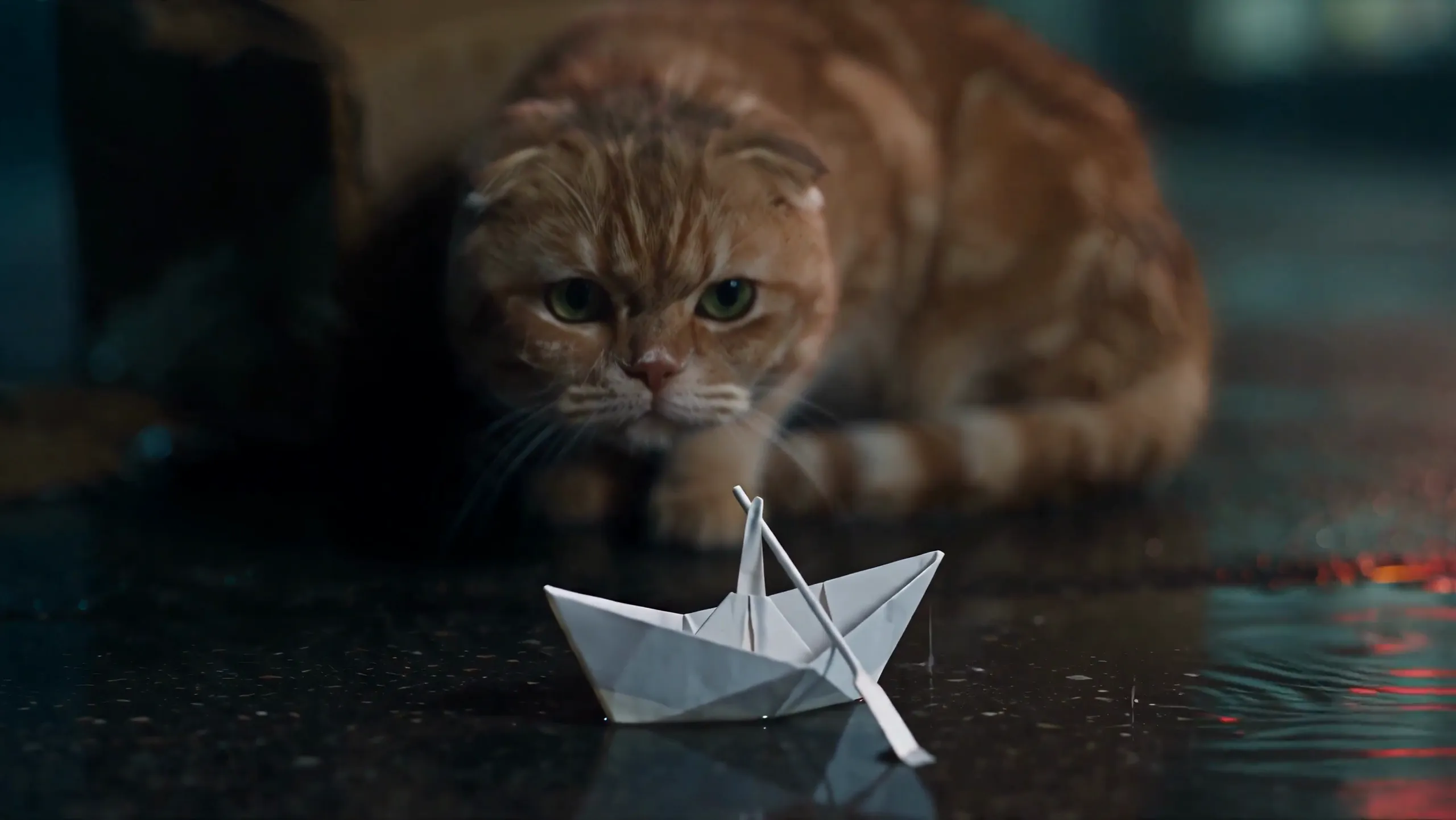
Seedance 2.5 Prompt Rewrite: Our First Draft Gave Conflicting Camera Directions
Our first prompt had a story, character IDs, an eight-panel storyboard and the ending. It looked fully loaded. Several camera plans collided. Here is how we rebuilt it for six Seedance submissions.
Translation notice: Our operations team is based in Taiwan, and every prompt actually submitted in this project was written in Chinese. The English prompt passages in this article are translations for readers only; they were not submitted to Seedance or tested. We do not guarantee equivalent results from the English wording. If you try it, validate the translation with your own references, parameters, and review process.
Our first Seedance 2.5 prompt gave conflicting camera directions. We caught them while revising the draft, before sending it to Seedance.
An LLM wrote the first draft. Our instruction sounded sensible: “Required and self-contained: who, where, doing what, performance and emotion, composition and camera movement; for every character, scene, or prop that appears, weave its appearance anchor into the text.” On paper, that covered everything. In practice, it mixed up how the story should read with how the camera should shoot it. Emotion became a conclusion. Camera direction kept returning in different sections to issue the same order again.
The story still mattered. The prompt needed to specify how far the cat raised its head, where its weight shifted, what the camera followed, and where the shot stopped.
An LLM working through Claude Code read the story, storyboard images, and references and helped us clean up the prompt. Seedance received the final prompt and assets and generated the footage. sd25-pe helped turn the story into actions the camera could show.
This article covers two questions: what did we get wrong in the first draft, and how did the storyboard images and reference assets expose it? Whether P01–P08 made it into the finished films is a separate investigation. The Seedance 2.5 storyboard test puts every panel beside a frame from the finished film.
One film, three Acts, six Seedance 2.5 submissions
We prepared three Act prompts. Desktop used each one once, and Mobile did the same, for six submissions in total. Along with the finished character, scene, and prop assets, we gave Seedance 2.5 the storyboard image.
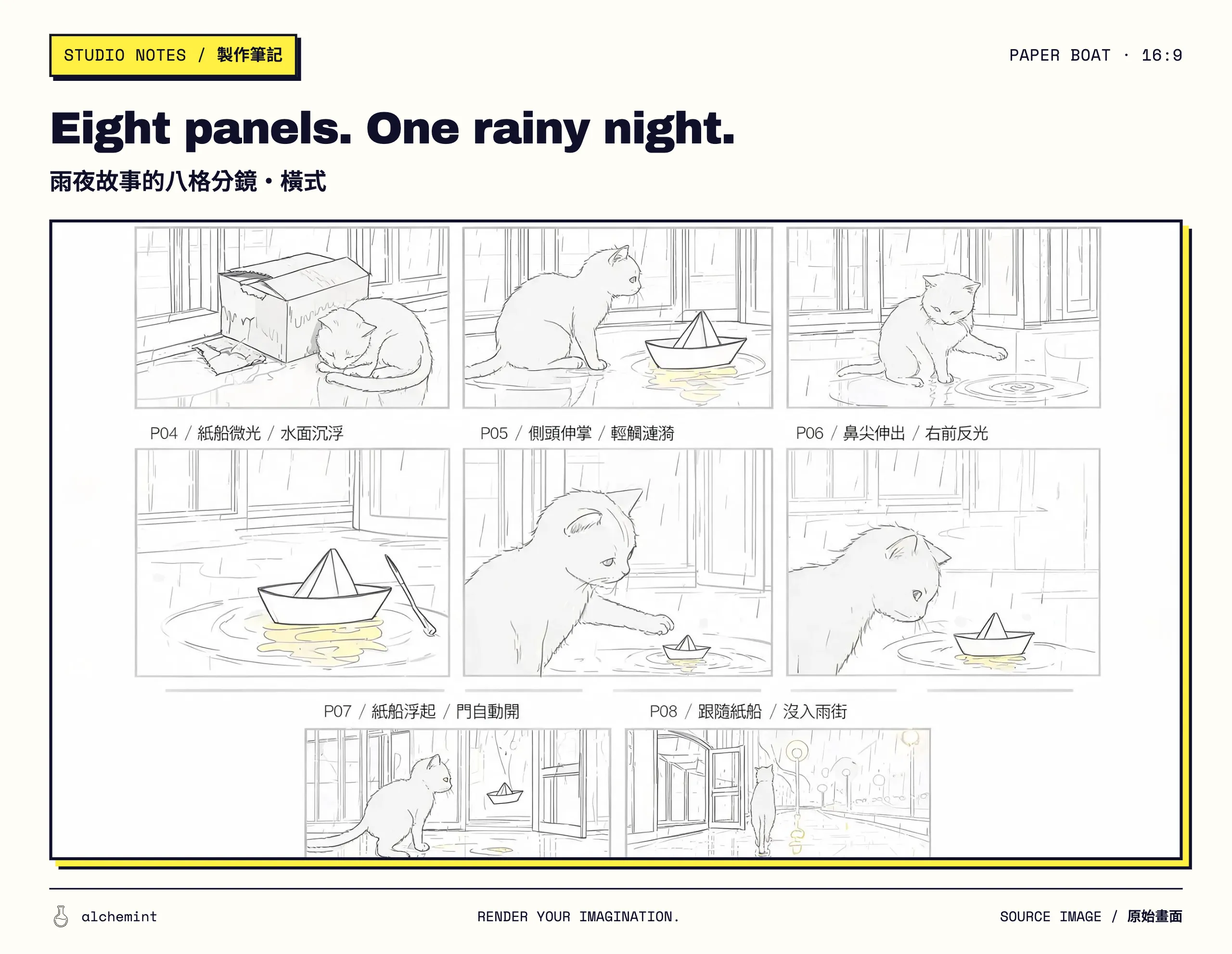
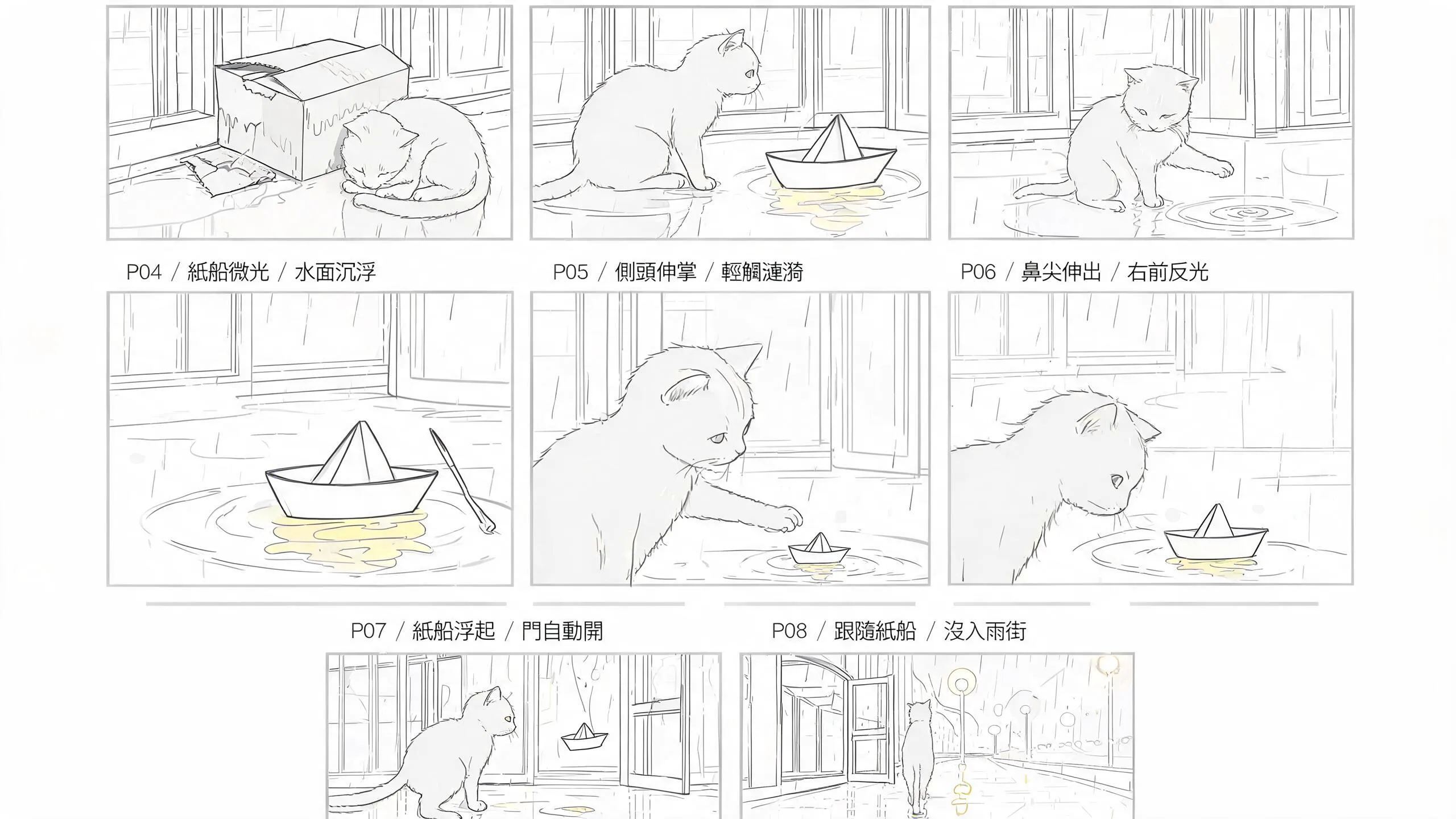
The 16:9 eight-panel storyboard actually used for the Desktop generation. Read P01–P08 from left to right, then top to bottom.
| Act | Storyboard panels used | What this submission handled |
|---|---|---|
| Act 1 | P01–P03 | The cat curls up, raises its head, and reaches out; the boat stops in front of it |
| Act 2 | P04–P06 | The boat responds, the cat steps into the water, and its nose approaches without contact |
| Act 3 | P07–P08 | The boat rises, circles the cat, and leads it into the rainy street |
The first prompt looked complete. It also argued with itself.
The original prompt did use the eight-panel storyboard as guidance. The finished films later justified the bill: every panel from P01 through P08 can be found on screen. The frame-by-frame comparison is in Does Seedance 2.5 Read Storyboards? We Found All 8 Panels.
Below is an English translation of the original Storyboard section and P01–P03. We added line breaks for readability. Platform asset names remain in Chinese, and the original's obvious typo is marked rather than repaired.
Image 1 is the Storyboard page containing P01–P08. Identify each panel by the P## title directly above its frame. For this Act, only P01, P02, and P03 may be used as visual references; completely ignore every other panel. Treat only these specified panels as an ordered key-pose blocking map: move through them in sequence within one uninterrupted continuous shot without holding on any panel. Follow the written action description and the sections below for the actual movement.
ACTION + CAMERA: P01 MCU, locked; P02 MCU, tracking; P03 MS, following.
MOTION PHRASES:
P01: Curl up / beside the box: The orange cat curls up beside the wet cardboard box in front of the floor-to-ceiling glass. Its body forms a ball, its head stays low between its forelegs, and its tail wraps around its torso. — On a rainy night,
@橘貓 · 半身圖curls up beside the rain-soaked broken box in front of@落地玻璃前 · 主圖.P02: Raise head / watch boat: The orange cat raises its head and turns its face toward the flyer paper boat drifting in from the puddle. Its forelegs stay on the ground as its weight shifts slightly forward. —
@傳單紙船 · 主圖drifts “from the of the puddle” [sic] toward@橘貓 · 半身圖. The orange cat raises its head from its curled position, its eyes full of curiosity. The composition is a medium close-up, and the camera follows the cat's line of sight.P03: Reach with paw / touch water: The orange cat turns sideways toward the puddle, suspends its right forepaw as it reaches forward, supports itself with its left foreleg and hind legs, and keeps its centre of gravity low. —
@橘貓 · 半身圖tentatively reaches out a paw.@傳單紙船 · 主圖moves back just a little, then rocks slightly once or twice.
Looks reasonable at first glance. Good thing we did not send this version straight to Seedance 2.5. Put the two drafts side by side and the trouble stops hiding:
| First prompt | Submitted prompt | Why we changed it |
|---|---|---|
| “One uninterrupted continuous shot” | “A sequence edited from three shots” | The three-shot plan already existed; the template line had to go |
| Act 1 already described the glow, opening door, flight, and departure in P04–P08 | Act 1 retained only P01–P03 | Keep the later plot from crashing the current Act |
ACTION + CAMERA, continuity anchors, and MOTION PHRASES repeated the material |
Each P section states framing, action, camera movement, and end state once | Let each shot receive one set of directions |
| “A curious look” | Head raised and extended, eyes wide, pupils round, weight shifting forward | Turn emotion into visible performance |
| The scene and paper boat also received “final appearance and clothing” | Each image defines one character, prop, or scene attribute | Not every asset needs a wardrobe department |
| Covered arcade and flyer paper boat | Pavement outside the store; a white paper boat with a stern rack and long narrow oar | Make the words admit what the reference images show |
The rainy night, soaked cat, ruined box, approaching boat, raised head, testing paw, and the boat's retreat and rocking all survived. The duplicate versions left, along with explanations no camera could shoot and plot events whose Act had not started yet.
“A curious look” sounds dramatic. Seedance still needs a shot.
Read the P02 prompt again. This is an English translation with the platform asset tags removed and the obvious typo cleaned up:
The flyer paper boat drifts across the puddle to the orange cat. The cat raises its head from its curled position, its eyes full of curiosity. The composition is a medium close-up, and the camera follows the cat's line of sight.
A reader understands the emotion. The model has too many ways to hand in the assignment: raise the head, tilt it, shift backwards, or simply stand still. We broke the moment into a face turn, a forward head movement, widened eyes, and a weight shift.
The Chinese prompt actually submitted for Act 1 · P02 became the following (English translation):
P02, 3–7 seconds: Medium close-up, tracking. The paper boat slowly drifts from the far end of the puddle to the cat. The cat raises its head, turns its face toward the boat, extends its head forward, opens both eyes wide as its pupils expand into circles, keeps its forelegs against the ground, and shifts its weight slightly forward. The camera follows the cat's line of sight and carries the frame to the paper boat. At the end, the boat stops on the puddle in front of the cat.
“Curiosity” became five observable performance states: raise, turn, extend, open, shift. The camera received a route from the cat's gaze to the boat. The final sentence left a physical state for the next shot to inherit.
Keep the story in the director's head. Send the action to the prompt.
The directing note behind this film was simple: the cat had already died, and the paper boat had come to take it away.
There was a second, more personal line: “Why does the boat play with the cat? Because I am the boat.”
Neither line appeared in a submitted prompt. Give the model “the cat is dead” and it may reach for the cheapest visual answer: a corpse, translucence, or a glowing outline. The entire system of implication gets spoiled in the first second. No amount of the director crying afterwards can put it back.
Act 2 · P04 received behaviour instead. The following is an English translation of the submitted Chinese prompt:
The cat tests the paper boat from the edge of the frame in two back-and-forth passes: when the cat approaches, the boat moves slightly away; when the cat stops, the boat drifts slightly closer again. A warm-yellow light appears beneath the boat from nothing during this segment and pulses like breathing, while the paper begins to pick up the neon colours reflected in the water. At the end, the boat glows at the centre of the puddle.
The boat retreats, waits, then approaches. “I am the boat” determined those three actions. The prompt stated them cleanly. The ruined box, rainy night, unnoticed door, and shared departure let the audience read the rest for themselves. The story had not disappeared. It had moved into the shot choices.
Act 1 does not need to peek at P08
The first draft's continuity anchors spoiled the entire film in one block. The paper boat glowed in Shot 4, reacted to ripples in Shot 5, approached the cat's nose in Shot 6, flew as the door opened in Shot 7, and led the cat away in Shot 8.
The master storyboard needed that overview. A generation submission responsible only for P01–P03 did not. The actual Act 1 prompt pulled the scope back to the shots in front of it. The following is an English translation:
Maintain consistency: Across the three shots, keep the cat's appearance and rain-soaked fur consistent; keep exactly one cardboard box and one paper boat; keep the floor-to-ceiling glass behind the cat and the puddle in front; and maintain the puddle depth, glass-reflection angle, neon colours and brightness, rainfall, and the oar's orientation as it follows the bow's direction.
Counts, space, appearance, and direction stayed. Events from P04 onward went back to their own Acts. Each P section also stated an end condition. P03, for example, ended with all four paws on the ground, no contact with the boat, and the boat still floating. A frame shows whether those things happened. “Keep the story consistent” leaves much more to guess.
The storyboard image became a prompt debugging screen
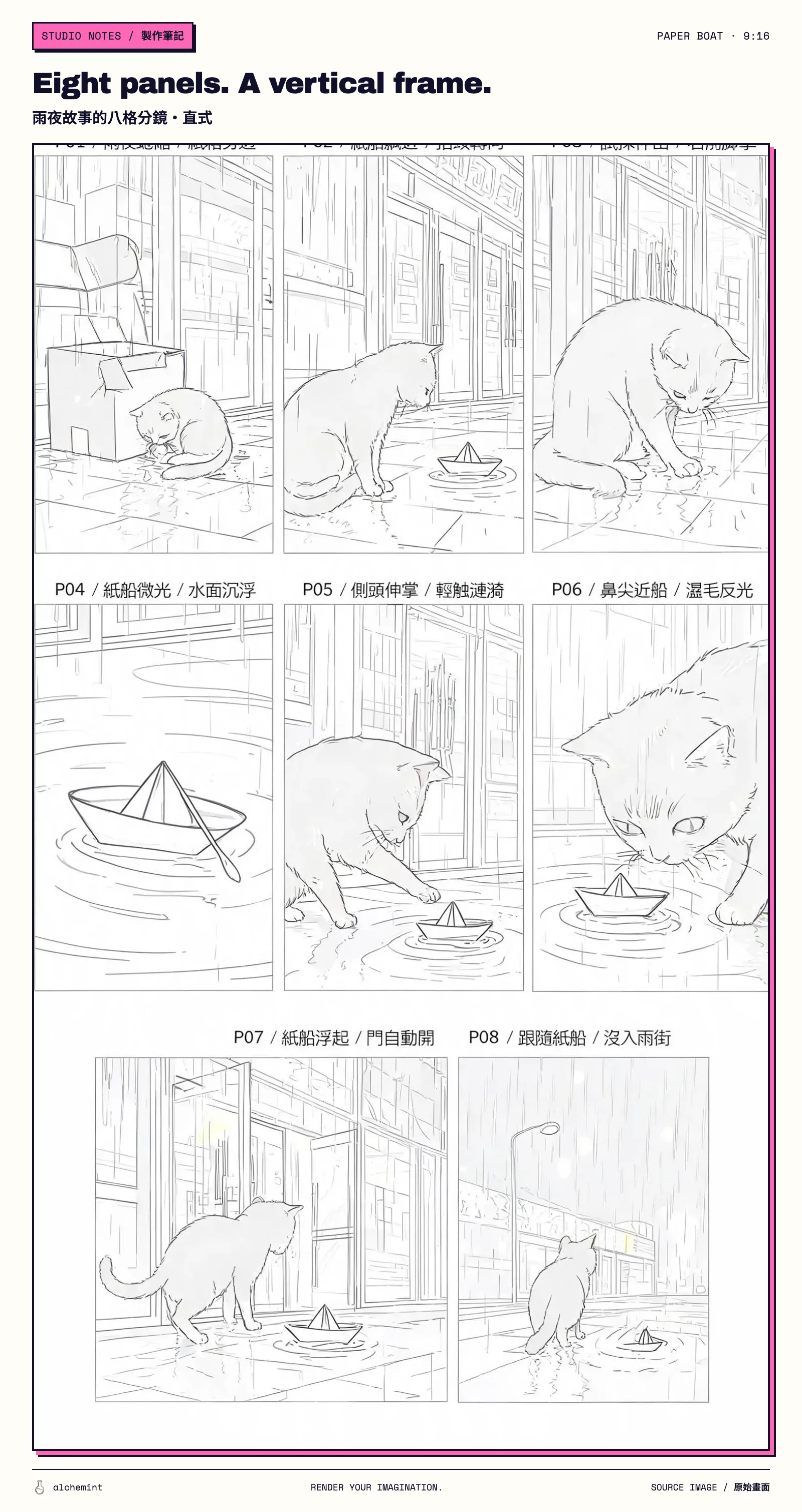
BytePlus calls this capability a Multi-panel storyboard reference. We placed P01–P08 on one image and gave it both to Seedance and to the LLM helping us write the prompt. Contradictions can hide in prose. Beside the storyboard, they lose cover quickly.
The 16:9 storyboard grid used for the Desktop generation.
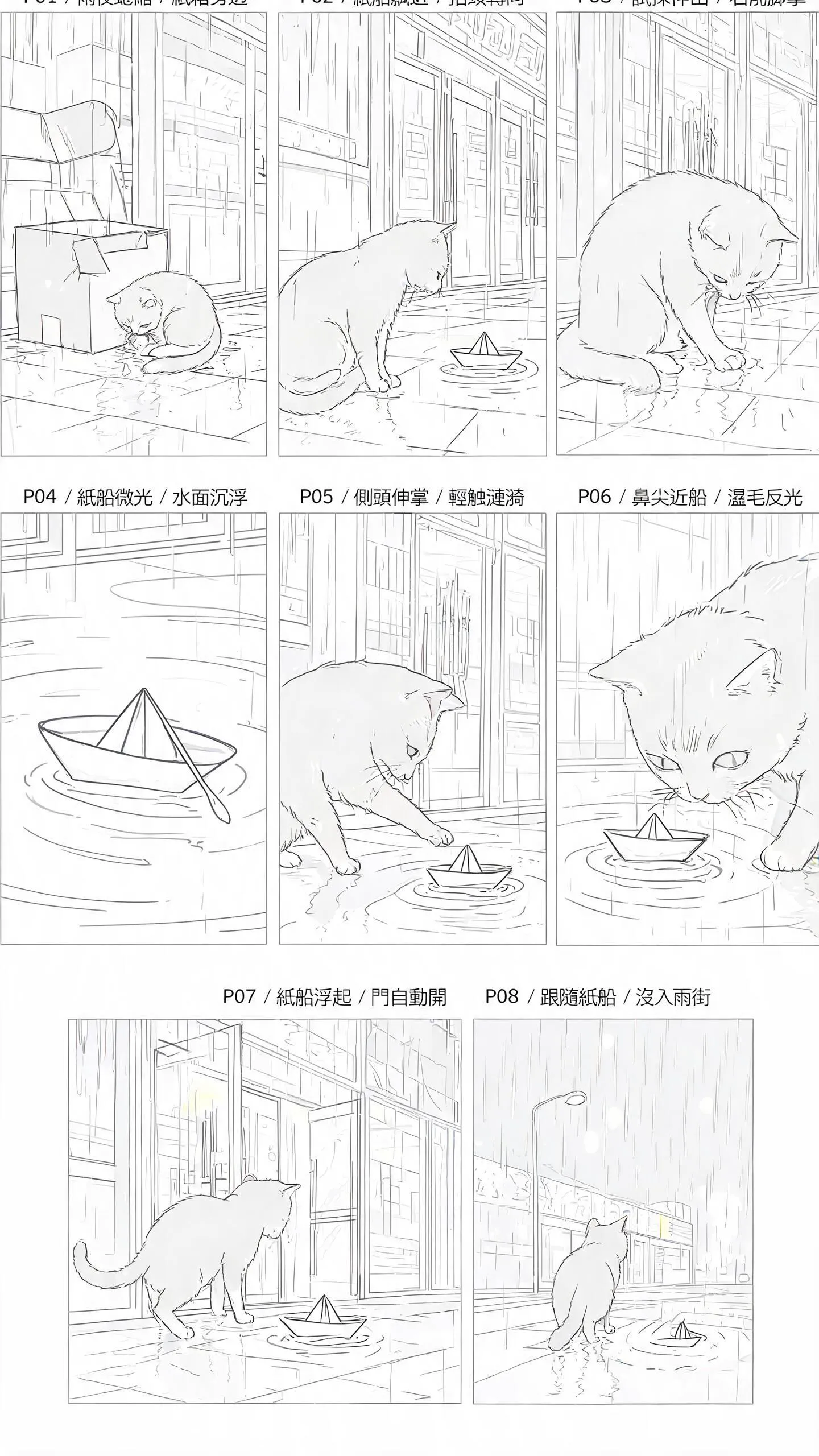
The 9:16 storyboard grid used for the Mobile generation.
“P01 locked, P02 tracking, P03 following” looks tidy as text. With the panels beside it, each shot size, subject position, and pose had somewhere to land. Three issues surfaced quickly: the plan contained three shots; Act 1 required a firm stopping point; and composition details already visible in the grid did not need three separate textual reruns.
The submitted prompt gave the grid one clear job: reading order and approximate composition. Line art, grayscale, panel borders, labels, and placeholder character designs stayed behind. The P01–P03 text handled action, camera movement, and end state.
To see what those eight panels became after the prompt revisions, look at the side-by-side P01–P08 finished-film test.
Once the reference images existed, the prompt had to change its tune
Our first draft applied the same phrase to three assets: each image was “used only for final appearance and clothing.” A cat can have an appearance. Giving “clothing” to a convenience store and a paper boat made the template show its seams.
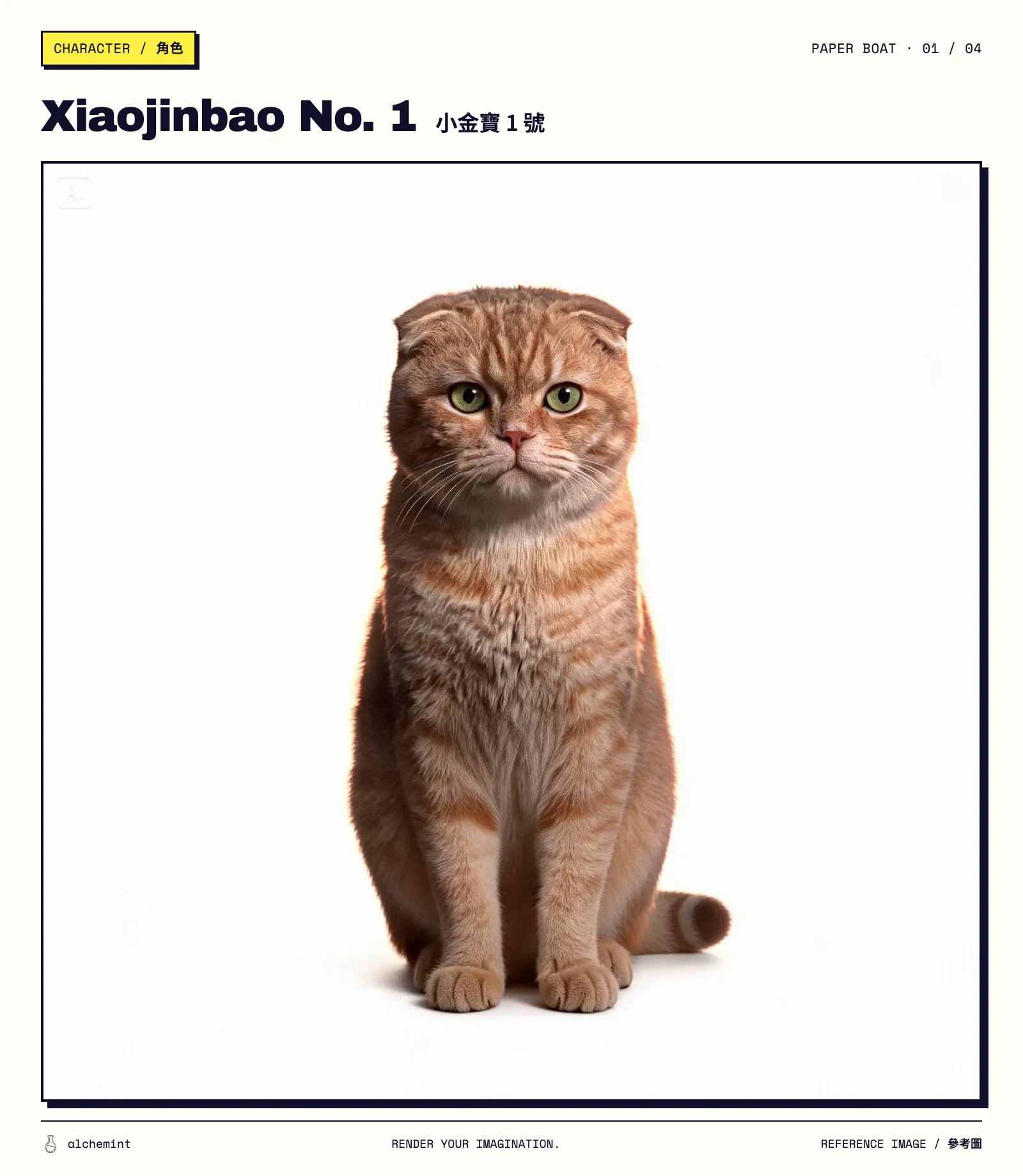
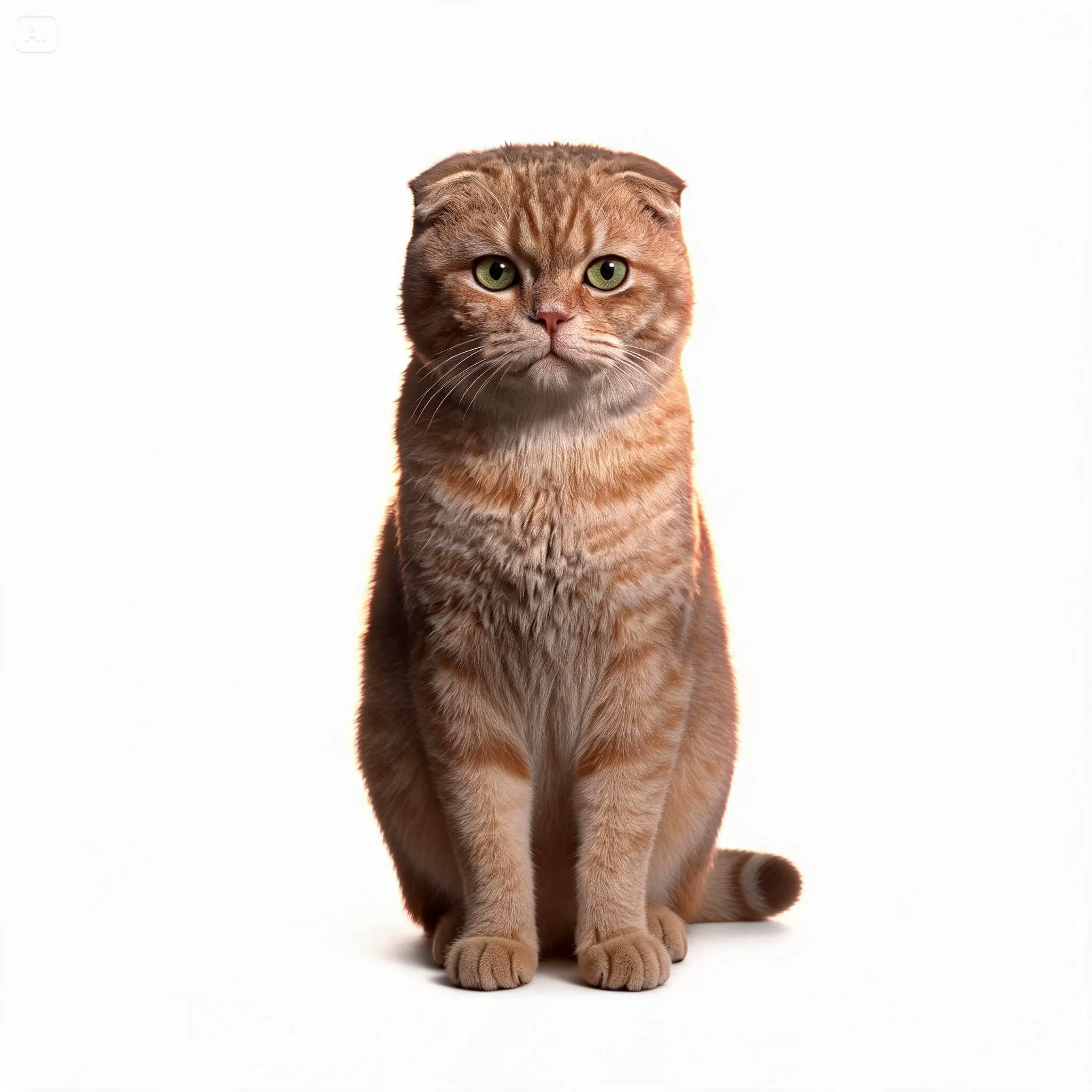
Once all four reference images existed, we handed them back to the LLM and checked every hard conflict between image and text.
Cat: Xiaojinbao No. 1
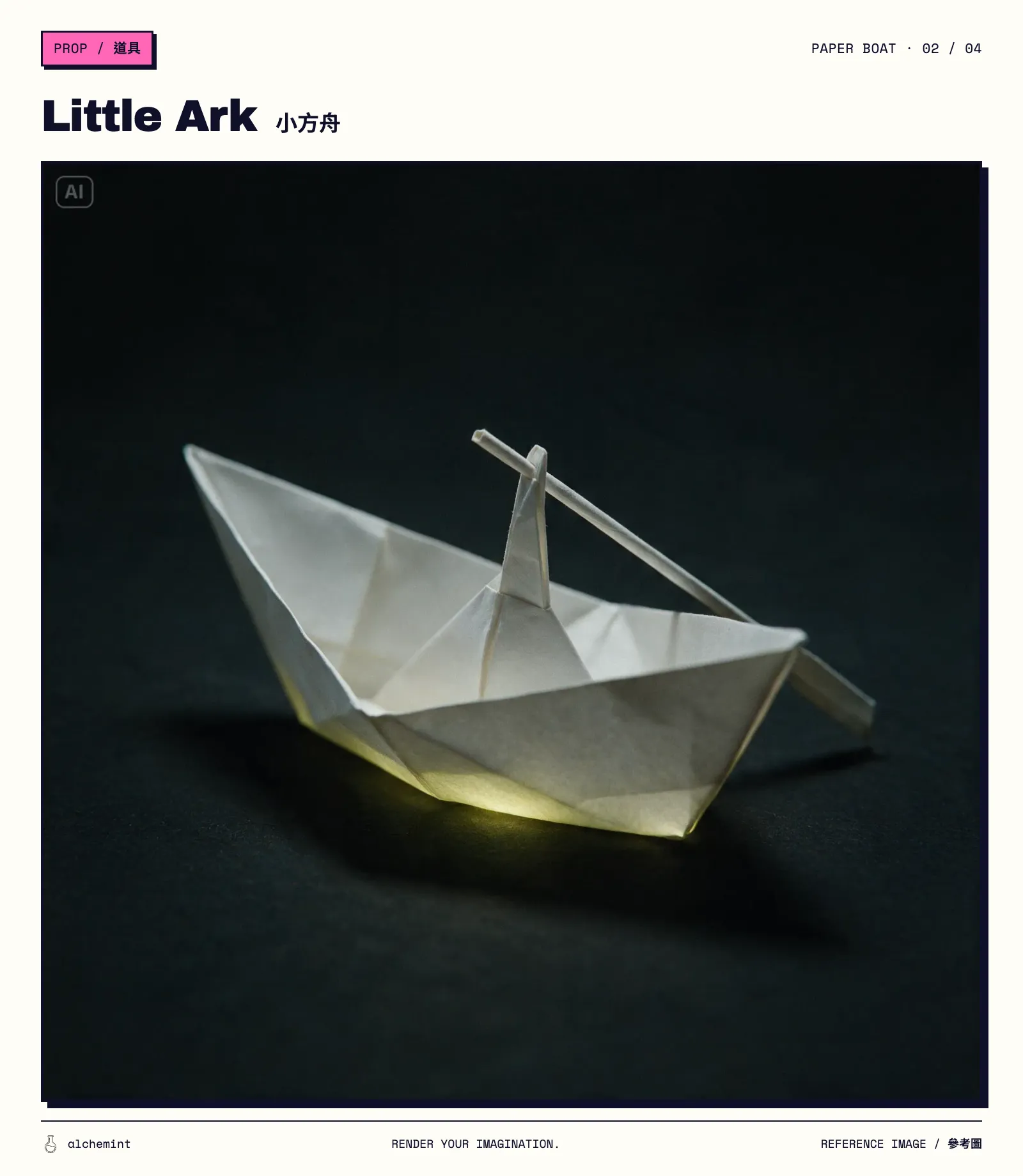
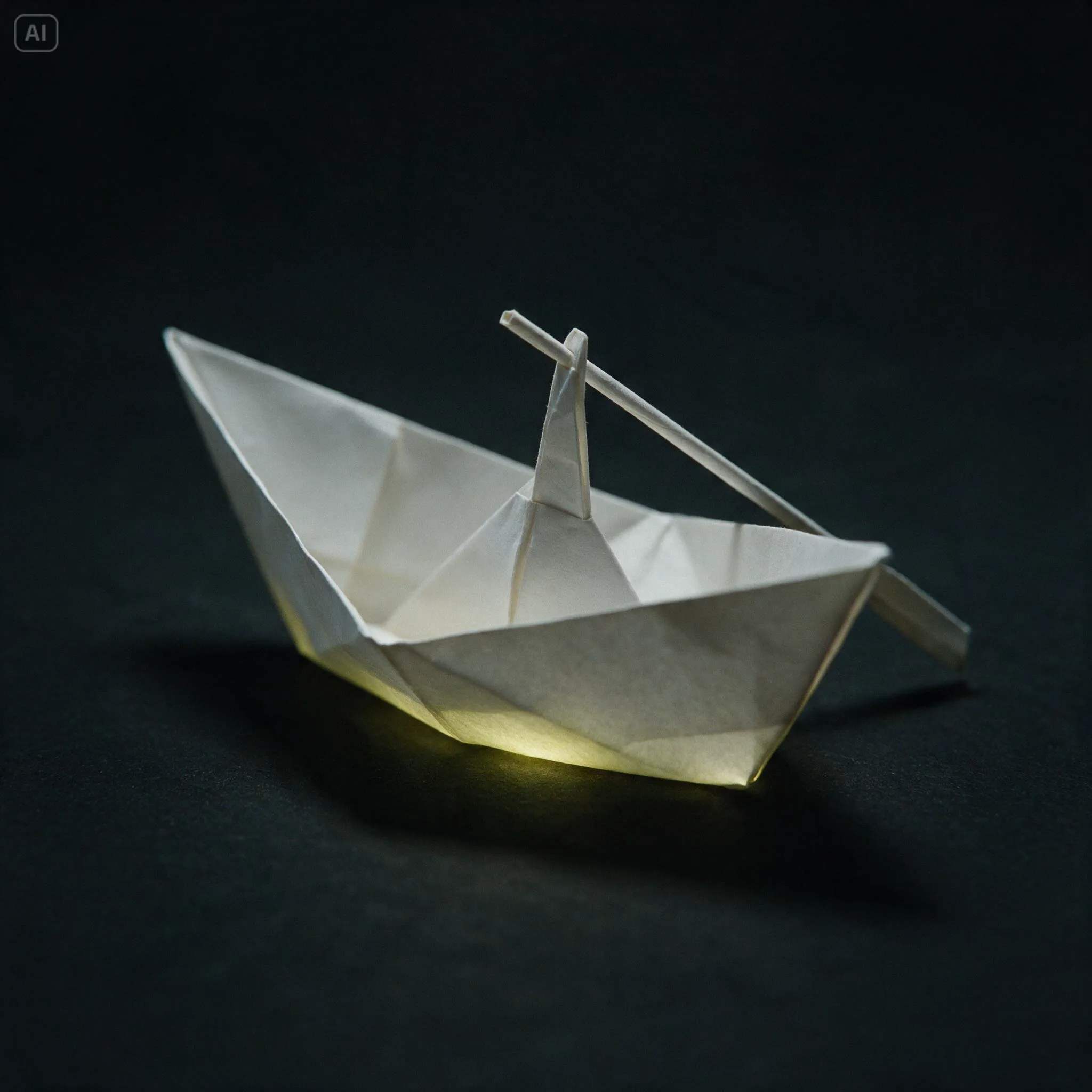
Paper boat: Little Ark
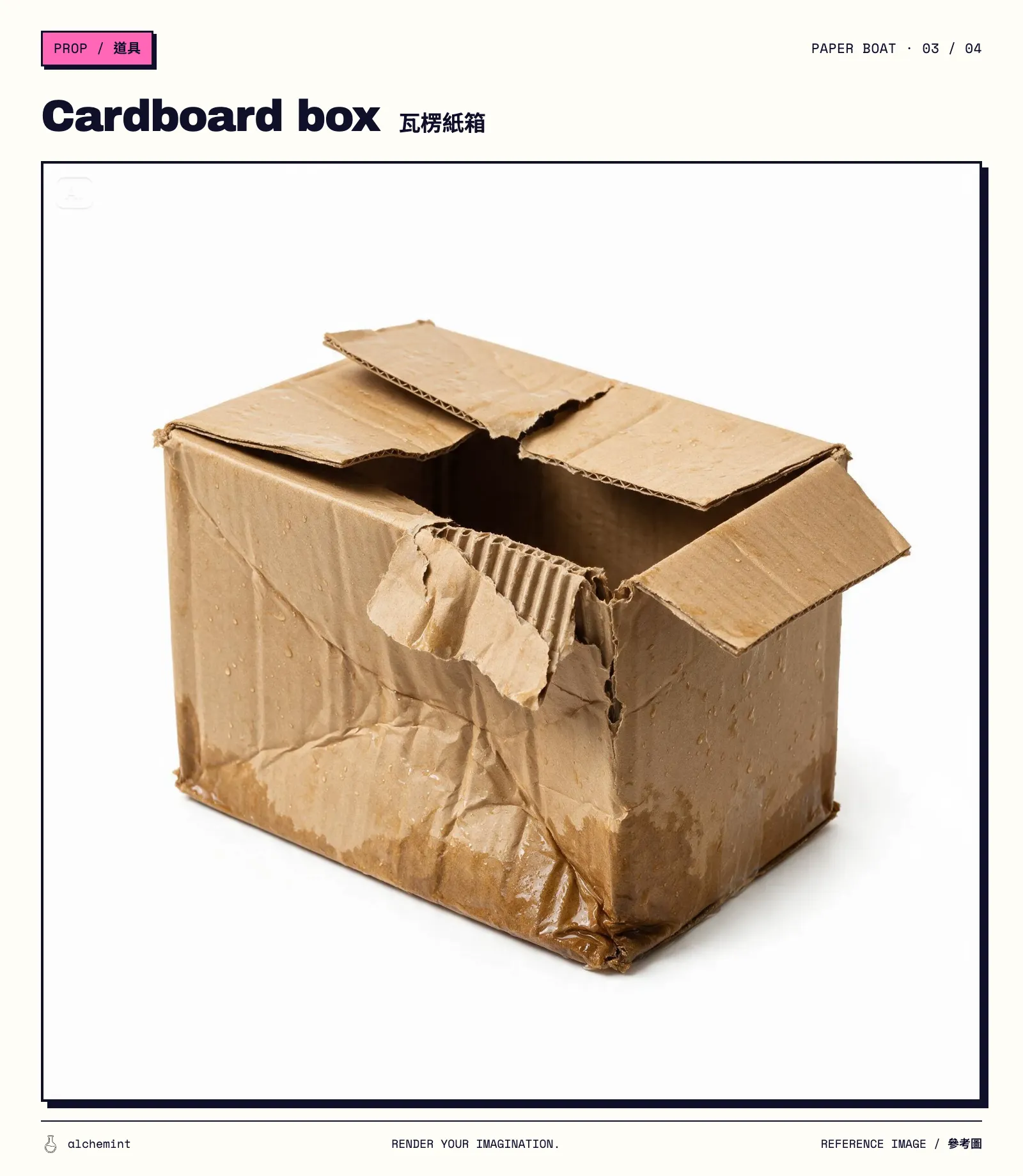
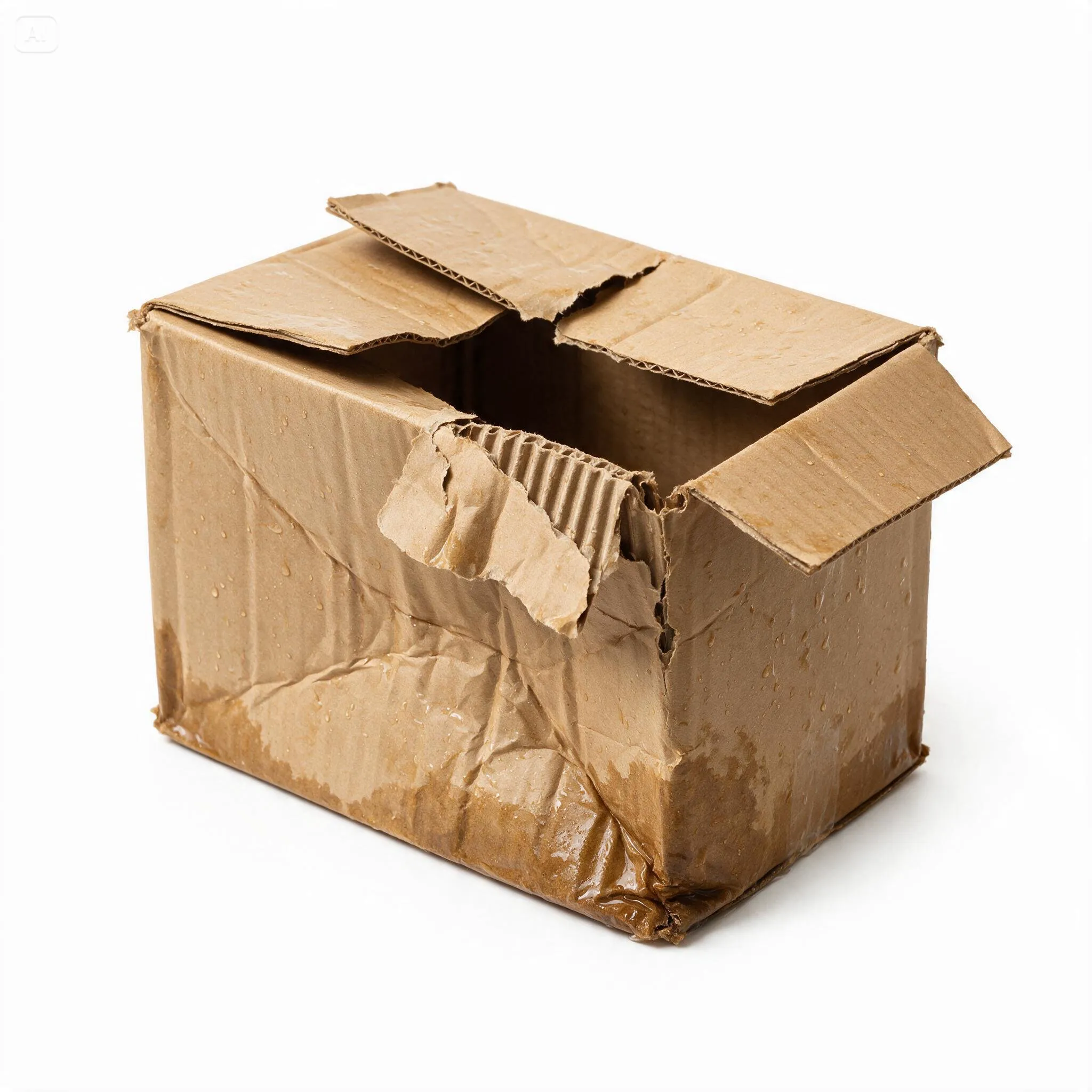
Cardboard box
Scene: corner convenience store
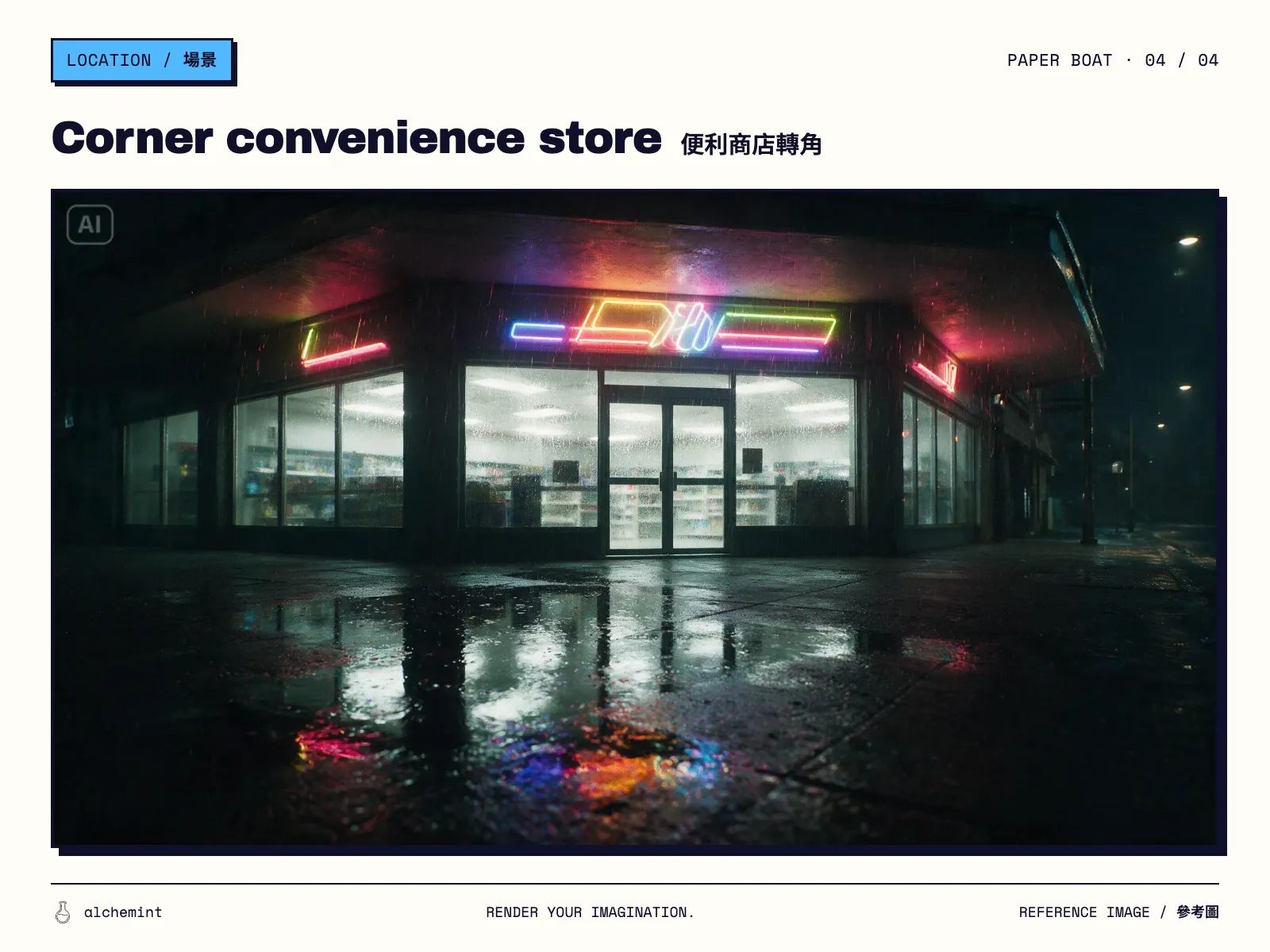
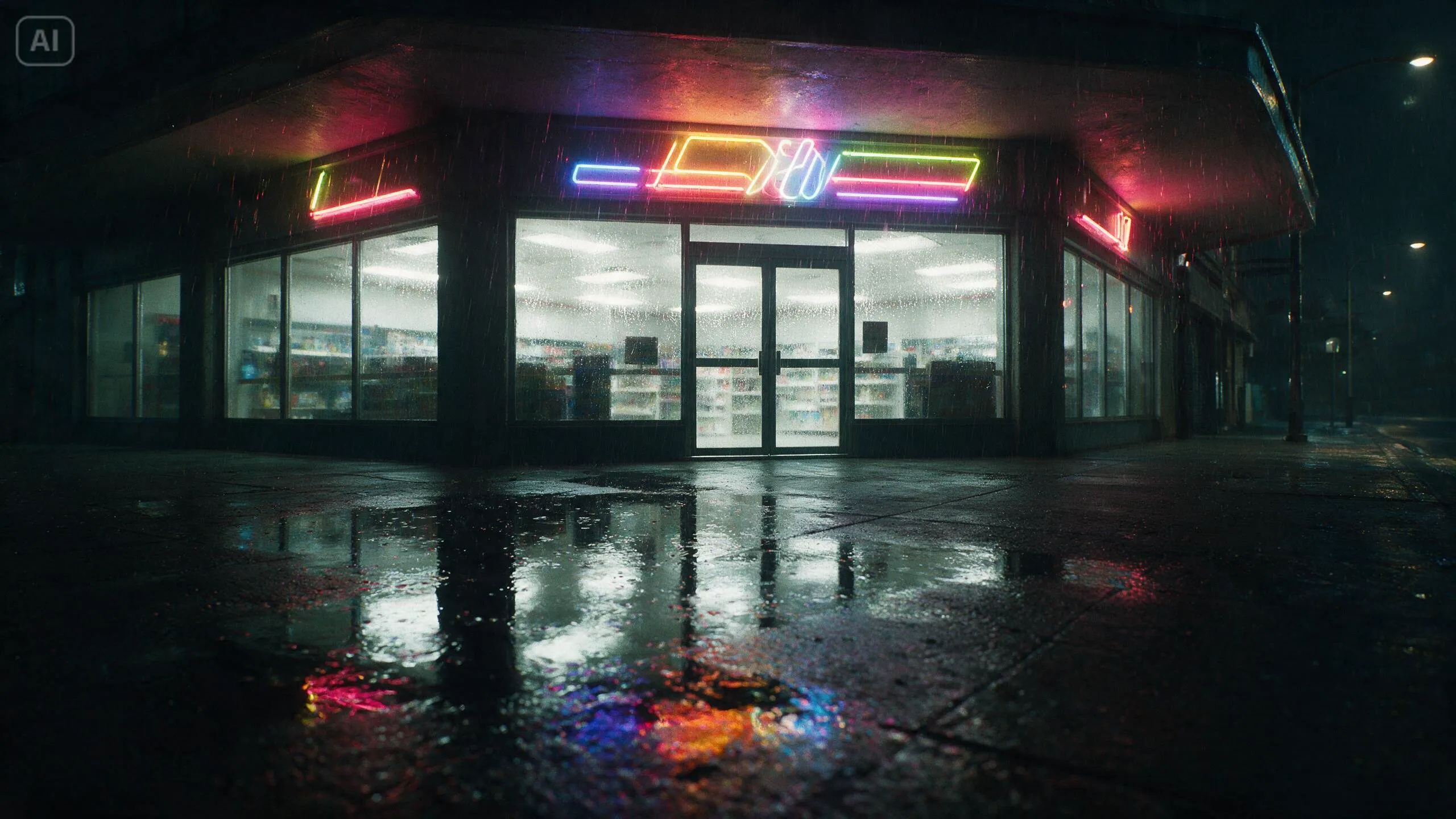
The images turned vague revisions into concrete decisions:
| What the image actually showed | How the prompt changed |
|---|---|
| The store had open pavement, with no covered arcade | “Corner of the covered arcade” became “pavement outside the store” |
| The cat had folded ears and dry fur | We took the ears, tabby markings, facial features, and build; the event script supplied the rain-soaked state |
| The boat used white paper, a pointed bow, stern rack, and long narrow oar | “Flyer paper boat” became a specific structure, and the dark reference background was excluded |
| The box looked relatively intact and dry | Its structure stayed; the event script made it wetter and more collapsed |
Writing the prompt first did not seal it in amber. Once an image existed, it became a fact in the next revision. If the image and the words pulled in opposite directions, the output could choose either side.
The paper-boat reference carried an underglow. The submitted Act 1 no longer contained the sentence requiring the boat to remain unlit throughout that Act. Warm light appeared early in the portrait P02 and P03. If the story needs the boat to light up later, the light in the reference and the timing in the text both need attention.
Video production stopped behaving like a turn-based game
Our working loop was simple:
- Write the story and directing intent.
- Generate the storyboard grids plus character, scene, and prop references.
- Give those images back to the LLM and check the composition, appearance, and prompt for conflicts.
- Prepare one Act at a time and submit a 480p preview.
- Watch the result, choose the join and the next segment's first frame, then wait for 2K and 60fps only after the cut looked usable.
We do not exactly have the industry clout to mint the next buzzword. Internally, we call this interactive creation (gacha, but with art direction). If a pitch deck needs something shinier, try creative manifestation workflow or generative creativity.
We digress.
Preproduction still had hard decisions. Subject count, spatial positions, shot order, Act boundaries, the attribute controlled by each reference, and the first frame of the next segment could reshape the whole film. We settled those early. The exact door angle at a given second, the local shape of the rain, or an action running half a second fast could wait for the preview.
All six submissions worked on the first run (our quality bar has declined to comment). That storyboard image and ByteDance's Skill—written for its own model, naturally—did exactly what we needed: they put the original sentence, the idea, and the creative direction in front of the creator where we could see them.
What survived the Seedance 2.5 prompt rewrite
We removed:
- Emotional labels such as “a curious look” that could not be verified on their own;
- An asset template that assigned “clothing” to the scene and paper boat;
- Multiple copies of the same action across separate fields;
- A continuous-take sentence that collided with the three-shot edit;
- P04–P08 events that Act 1 did not need yet.
We kept and sharpened:
- One cat, one cardboard box, one paper boat, and the no-contact relationship;
- The causal order of the boat approaching, the cat raising its head, the paw testing the water, and the boat retreating;
- The glass behind the cat and puddle in front as fixed spatial directions;
- Observable and audible states: wet fur, neon reflections, rain, and the rocking boat;
- An end state for every shot and Act that could be checked against the film.
For the finished films, Blender previz, and production sequence, read Making an AI Video: A Paper Boat Came Back for a Stray Cat. For the general Seedance 2.5 rules governing asset roles, first frames, and storyboard grids, see Seedance 2.5 Prompt Skill: Every Reference Needs a Job.
Complete 16:9 and 9:16 films
Each film below was generated in three Acts: Desktop in 16:9 and Mobile in 9:16. We first checked the content at 480p, then used BytePlus's native tools to upscale it to 2K and interpolate it to 60fps.
16:9 Desktop
Complete film: 45 seconds. The source video is 3184×1792 at 60fps; the embedded version preserves the full landscape frame on black.
9:16 Mobile
Complete film: 46.5 seconds. The source video is 1792×3184 at 60fps; the embedded version preserves the full portrait frame on black.