
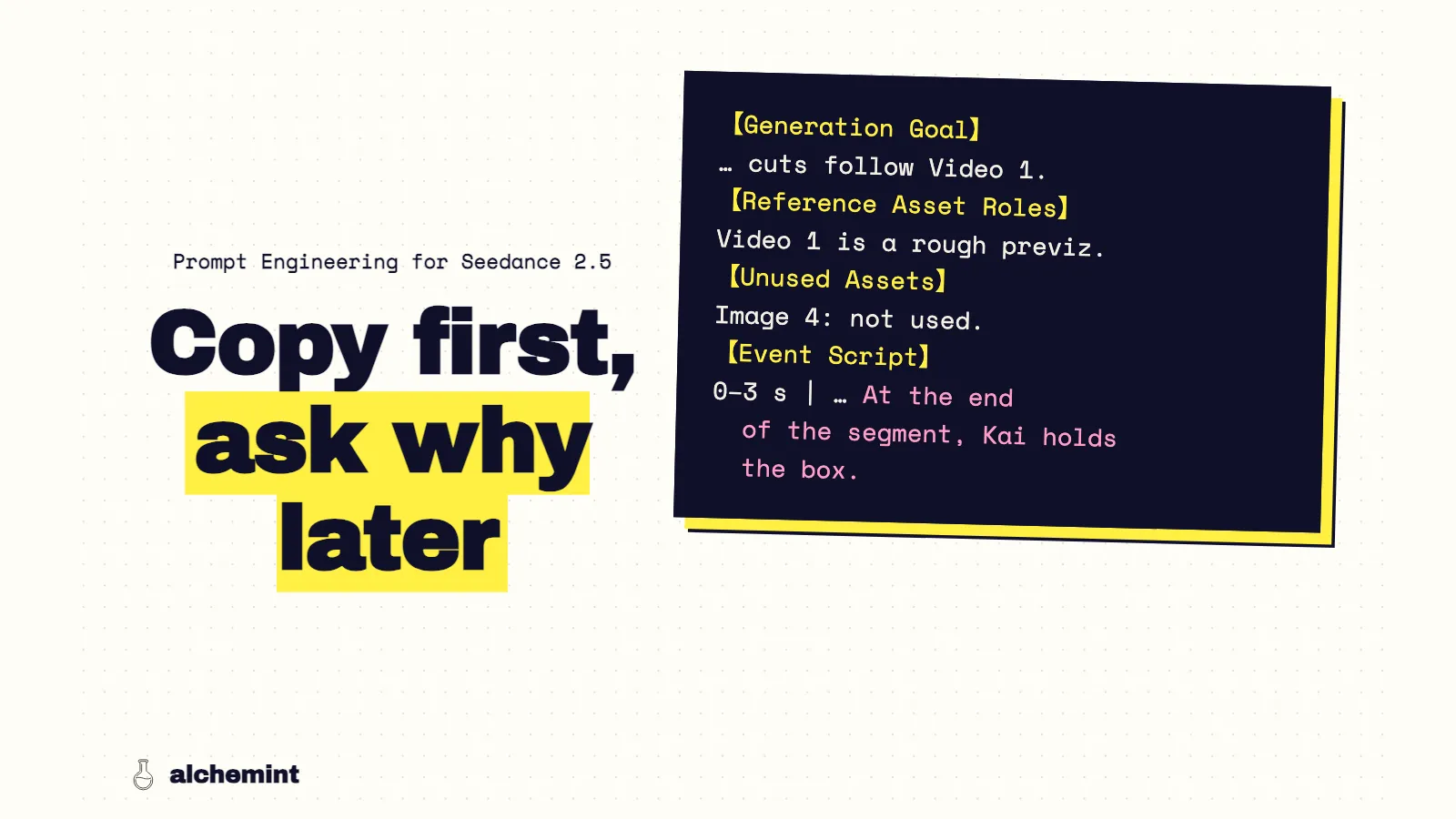
Prompt Engineering for Seedance 2.5: A Previz-to-Video Template
A fill-in Seedance 2.5 template for Blender previz, then the rules behind it: the previz carries cuts and timing, so the prompt handles mapping and state.
Here's the template first. It's for Seedance 2.5 with a Blender previz as Video 1, in the section layout our 28 takes used. The reasons are below it.
The template
Our prompts used English section headers with the content in Chinese. The structure below is the same one in English. Angle brackets are placeholders. I assembled it from the six rules below; it hasn't been run as a separate test.
【Generation Goal】
<One sentence: who does what, where, and where it ends.> Camera, movement and cuts follow Video 1.

【Reference Asset Roles】
Video 1 (<file>) is a rough previz. Use it only for paths, blocking, camera position, camera movement and cut timing. Do not adopt its look, materials or empty background.
The <color + shape> is <Character A>. The <color + shape> is <Character B>. The <color + shape> is <the prop>.
Image 1 (<file>) only defines <Character A>: <identifying features>. Multiple poses on the sheet are the same person; the white background and labels are not part of the scene.
Image 2 (<file>) only defines <the prop>: <shape, material>.
Image 3 (<file>) defines <location> materials, light and time of day. The spatial layout follows the previz.

【Unused Assets】
Image 4 (<file>): not used in this segment.

【Event Script】
0–3 s | <shot name>: <the visible process, including who lets go, who touches, who catches, in order>. At the end of the segment, <who holds what, where they stand>.
3–7 s | <shot name>: <…>. At the end of the segment, <…>.
<Ambient and action sounds; whether anyone speaks.>

【Maintain Consistency】
Start state: <…>. End state: <…>.
<Prop> changes hands only as A → B, each time released before it is caught.
<Camera conditions that must not change, e.g. keep tracking from the same side for the whole shot.>
Checklist before submitting:
- The event-script ranges match the previz's shots.
- Every segment ends with a holder-and-position line.
- Every attached asset has a role, or is listed as unused.
- Any must-hold camera condition gets checked first in the take.
- Montages with more characters than you can check frame by frame are split.
Why the template is written this way
With MiniMax H3, the prompt runs the edit: cuts happen where the text puts timestamps. Seedance 2.5 works the other way. On 32 previz units, it cut on 31 of 35 previz cuts with a median error of zero frames, and its motion followed the previz's timing far more closely than H3's did (the numbers).
That changes what a Seedance prompt is for. The previz already carries the timeline. The text has to cover what the previz can't show: who each gray shape is, what each reference image is for, and the state of things when each segment ends. These six rules come from 28 Seedance takes.
Rule 1: The previz is the timeline
Write the event script in time ranges that match the previz's shots, and don't use the text to change pacing. If a cut should come half a second later, move it in Blender and render the previz again.
Our prompts wrote ranges in whole seconds. Three previz cuts fell between those ranges, at 2.625, 12.333 and 20.167 seconds. Seedance cut within a frame of the first two and missed the third. With the ranges matching the previz, text and video tell Seedance the same thing, and that's when it was most reliable.
Rule 2: Say who holds what at the end of every segment
The best take in the batch was a 21-second market walk with three throws of the same box between two characters. Every segment of the prompt ended with a state line, like "段末盒子只在 Kai Miren 手中" ("At the end of this segment, only Kai Miren holds the box"). The ownership chain was written out in full: Shami → Kai → Shami → Kai, each time released, airborne, then caught.
All three handoffs landed in the right order. The one miss was the final pose. The prompt asked Kai to pull the box to his chest; he caught it one-handed, then brought it in with both hands, but it stayed below his chest. End states worked. The exact final pose was the part Seedance treated as negotiable.
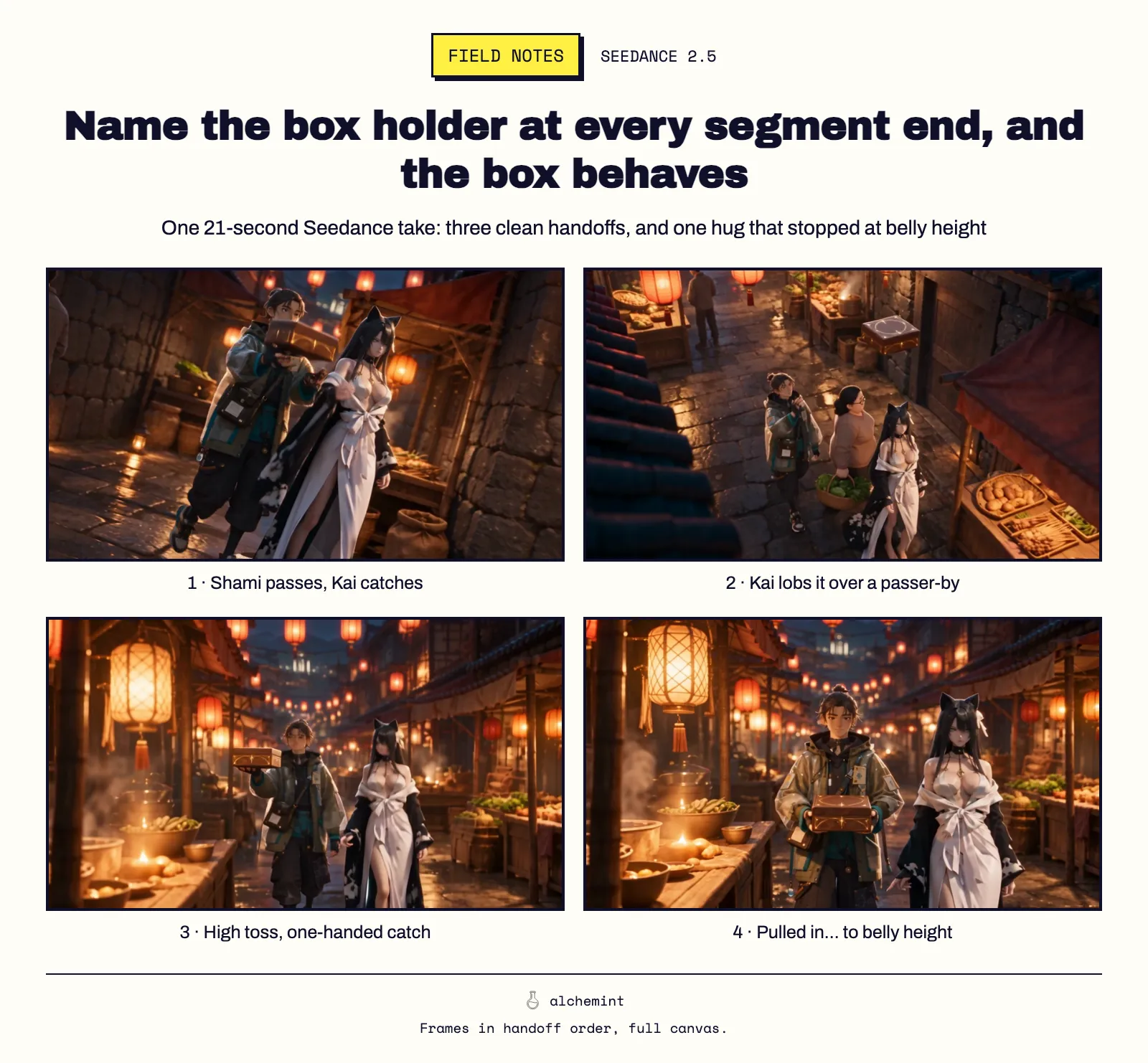
So write the state after every segment, and if one exact pose matters, give it a short segment of its own.
Rule 3: Give every reference one job, and list the ones you don't use
Every reference got a line saying what it defines and what to ignore: "Image 1 (Shami.png) only defines Shami… the white background, text labels and layout are not other people or the scene." The previz got a line mapping each proxy: the cyan cylinder is Shami, the green one is Kai, the small gold cube is the box.
The official sd25-pe skill adds a rule we skipped once: list every attached asset you aren't using under an unused-assets heading, so it doesn't get picked up. We changed a scene's button operator from Pi to Shami and rewrote the text, but Pi's reference image stayed in the request as Image 1 with no role. The take came out right. Shami pressed the button. We only found the leftover while auditing. It's a free fix, so the template has that section.
Rule 4: Check the camera conditions Seedance likes to change
A cart chase was staged as one continuous tracking shot from the same side, changing only speed. The prompt said so explicitly: "保持同一側的跟拍方向" ("keep tracking from the same side"). Seedance cut to a front view backing away, then to a side view. The handoff in the middle was clean; the geography was gone.
Writing the condition wasn't enough here. I now treat any "hold this side / this axis" shot as the first thing to check in a take, and I'd generate it as its own short segment if it has to hold.
Rule 5: Split long multi-character montages
A ten-character, three-location montage came back with the wrong character beside Pi on the roof and a cat-eared woman with teal eyes where Biwa should have been, even though the prompt mapped all fourteen reference images. The same shots, generated as four-second excerpts on H3, kept those identities. I'd cap a single Seedance generation at the number of characters I can check frame by frame.
Rule 6: Make stand-ins look like what they stand for
Seedance turned a low-poly red sphere into a proper warning beacon. It also kept flat gray ovals that the previz used as clouds. A stand-in that resembles its object gets reinterpreted. A stand-in that doesn't resemble anything gets copied. That's a Blender fix, not a prompt fix (more on this).
Installing and running sd25-pe itself is covered in the Seedance 2.5 Prompt Skill guide. What should a video prompt do once you have previz? walks through one full scene.
Limits
These rules come from one stylized project: 28 Seedance 2.5 takes at 480p, prompts written with the official sd25-pe skill, and previz up to 22 seconds. Each rule rests on the takes named above. They're patterns from real production, not controlled experiments. For moving a sequence from H3 to Seedance or back, see the porting article.
The full setup is in the series opener.