
Seedance 2.5 Cuts on Your Previz. MiniMax H3 Cuts on Your Text.
Seedance 2.5 hit 31 of 35 previz cuts to the frame. MiniMax H3 cut where the prompt said, even when the video disagreed. Where you edit depends on the model.
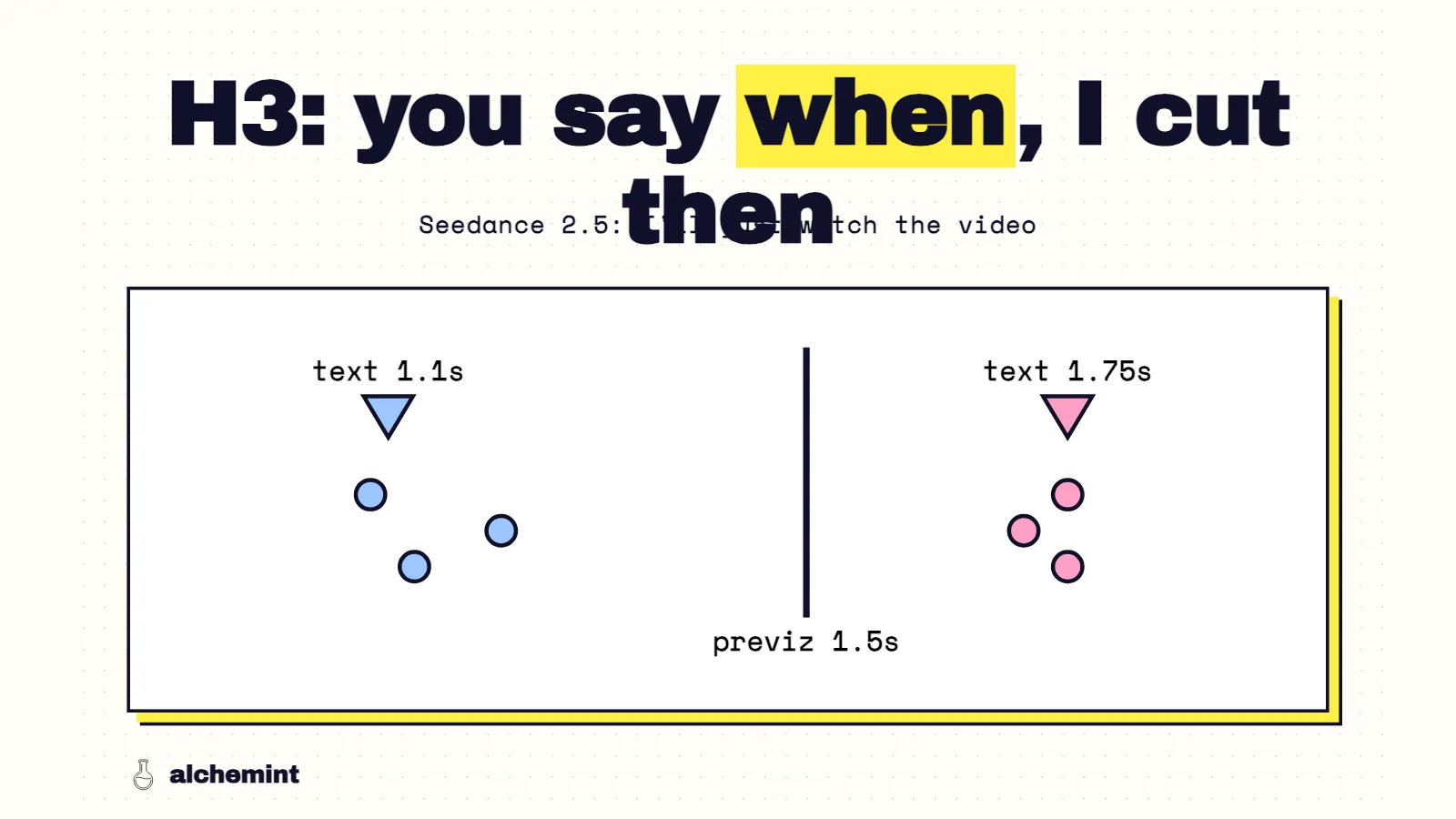
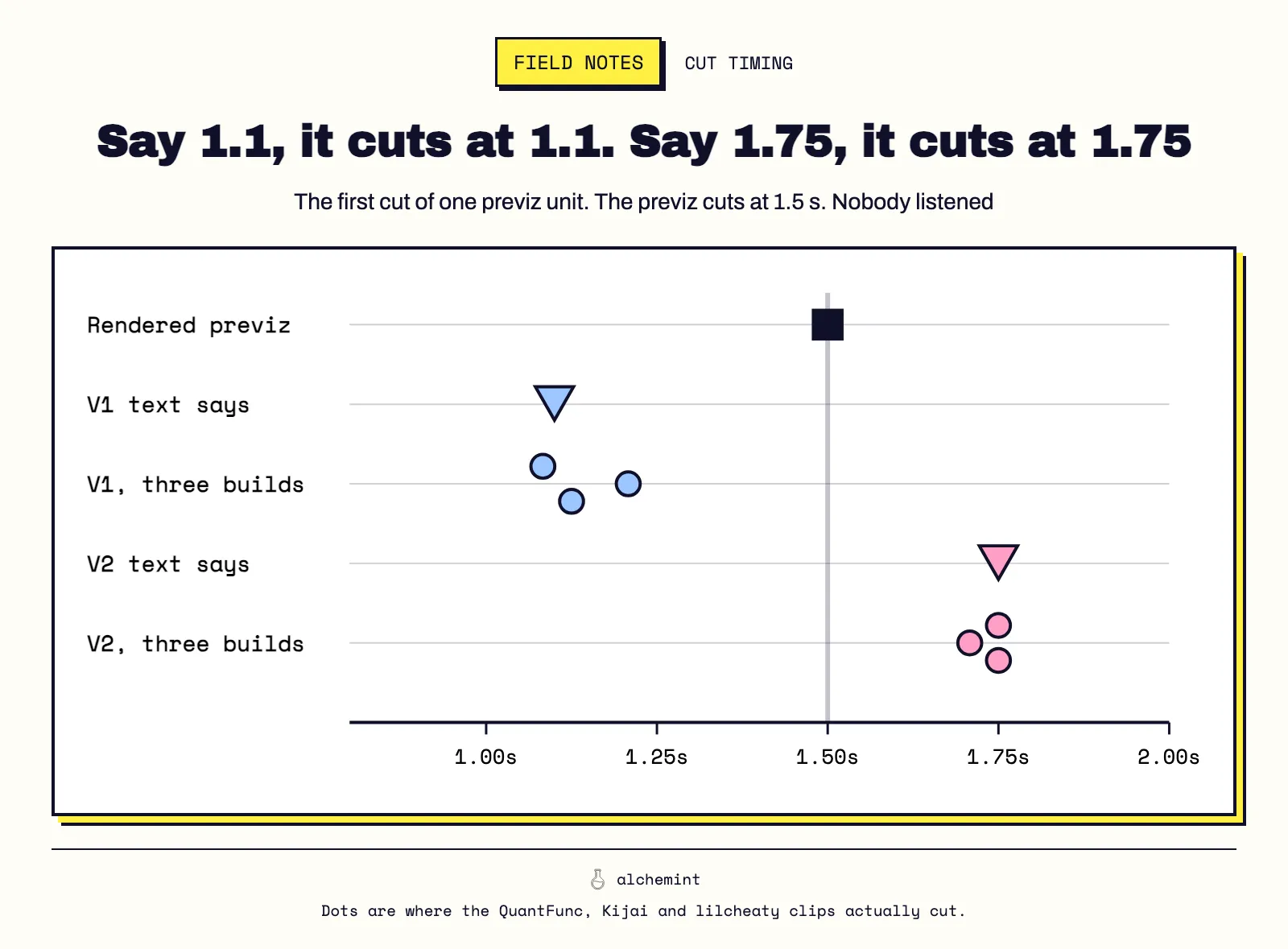
One of our Blender previz units cuts at 1.5 seconds. MiniMax's paid prompt optimizer wrote that cut into the prompt as 1.1 seconds. Our other prompt version, copied from the Blender camera data, wrote it as 1.75. All three H3 builds cut near 1.1 for the first prompt and near 1.75 for the second. None of them cut where the video did.
That made me check every cut in the batch. The result changed how I plan an edit for each model.
H3 cuts where the text says
That unit is the cleanest test in the batch: same video, same reference images, two prompts that disagree with the video in opposite directions.
| What the prompt said | Where the three H3 builds cut |
|---|---|
| 1.1 s (V1) | 1.08, 1.21, 1.12 s |
| 1.75 s (V2) | 1.75, 1.71, 1.75 s |
| The rendered previz cuts at 1.5 s | none of the six |
Then I checked every hard cut in the rendered previz across the batch. Was it written in the prompt as an At 00:0X timestamp, and did each H3 output cut within a quarter second of it?
| Cut in the rendered previz | H3 outputs that cut there |
|---|---|
| Written in the text, V1 prompts | 43% (50 of 117) |
| Written in the text, V2 prompts | 56% (71 of 127) |
| Not written, V1 prompts | 6% (2 of 31) |
| Not written, V2 prompts | 19% (4 of 21) |
Five cuts were written only in the V2 prompts, at the same time as the render. V1 outputs cut there 0 times out of 13; V2 outputs 4 times. Wherever text and video disagreed, H3's cuts landed nearer the text 24 times and nearer the video 7 times. Much of that comes from the one unit above, and other lines and seeds changed between versions too, so I'd treat the size of the gap as rough. The direction held everywhere I checked.
The official H3 format already writes cuts as [Shot N] At MM:SS.mmm inside the text. I had read the reference video as the source of the edit and the text as a description of it. For cut timing, H3 leans the other way.
Seedance cuts where the video cuts
On the 32 units that have a matching Seedance 2.5 take, Seedance cut on 31 of 35 previz cuts. Its median offset was zero frames. The H3 builds that cut landed a median of two to four frames off.
The Seedance prompts were written with time ranges in whole seconds, and most previz cuts fell on whole seconds, so in most cases text and video agreed. Three previz cuts didn't: they sat at 2.625, 12.333 and 20.167 seconds, between the ranges the text named. Seedance cut within one frame of the first two and missed the third. Three cases is a thin sample. But the frame-exact offsets everywhere else point the same way: Seedance takes cut timing from the video.
Seedance also keeps the previz's motion timing
Cuts are the easy part to measure. I also wanted to know whether the action happens when the previz says it does. For every clip I built a curve of frame-to-frame change, ignoring cuts, and correlated it with the same curve from the previz.
| Median correlation with the previz's motion curve | |
|---|---|
| Seedance 2.5 | 0.59 |
| H3, QuantFunc | 0.18–0.27 |
| H3, Kijai | 0.16–0.22 |
| H3, lilcheaty | 0.22–0.26 |
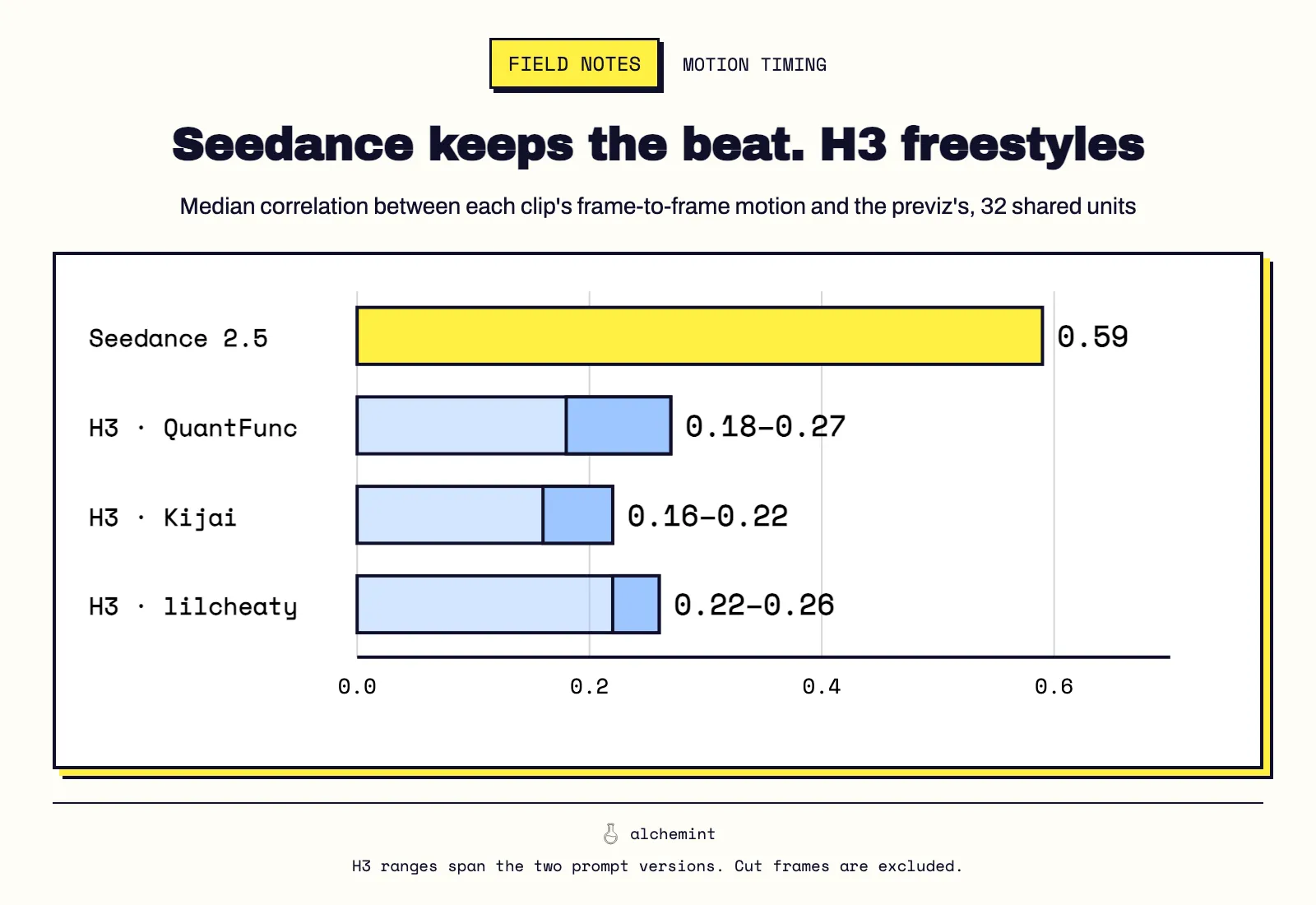
The H3 ranges cover the two prompt versions. Paired unit by unit, Seedance followed the previz's motion timing more closely than each H3 condition in 77–84% of the 32 units. H3 performs the action, but on its own schedule. In one throw-and-catch, the same prompt gave three H3 catches at 5.08, 5.75 and 6.00 seconds.
Where your edit lives
This is the practical difference, and I'd plan around it before choosing a model for a sequence.
With Seedance, the edit lives in the previz. If you want the cut half a second later, move it in Blender and render the previz again. Write the text so it agrees with the video. Seedance doesn't need you to transcribe every cut, but contradicting the video in text is asking for a fight you won't win. Our Blender previz setup makes that a quick loop.
With H3, the edit lives in the text. Every cut has to be transcribed as a timestamp, and a cut you leave out usually won't happen. Take the times from the rendered previz, not only from the camera data: in the unit above, the camera data said 1.75 while the render cut at 1.5. The upside is real: you can retime a cut by editing one number, without touching Blender. If you use the paid optimizer, check its output. Against the previz's camera data, it left 10 of 53 cuts out of the text on this batch and moved 5.
For timing-critical action, Seedance is the safer pick. A catch that has to land on a music beat, a door that has to close as a line ends: Seedance is more likely to keep the previz's timing. With H3, I'd write the order of contacts explicitly (who lets go, who catches, when the shot ends) and expect to trim in the edit.
I'd pick H3 for a sequence when I want to iterate on cut timing quickly, or when the previz is staging reference rather than a finished edit. I'd pick Seedance when the previz already is the edit.
Conditions
The full setup is in the series opener. Specific to this article: cuts were detected from frame-difference spikes in the rendered previz and the outputs. H3 cuts were matched within ±0.25 s; the Seedance hit rate and the frame offsets used ±0.5 s. Motion curves use mean absolute frame differences on downscaled grayscale frames, with cut frames removed. The H3 template and Seedance template put this into practice, and the porting article covers moving one sequence between the two.
- 01MiniMax H3 vs Seedance 2.5: We Fed One Previz to Both, 274 Times
- 02Seedance 2.5 Cuts on Your Previz. MiniMax H3 Cuts on Your Text.You are here
- 03Why MiniMax H3 Leaves Your Previz on Screen and Seedance 2.5 Mostly Doesn't
- 04What Quantized MiniMax H3 Gives Up: QuantFunc, Kijai and NVFP4 Measured on 246 Clips