
Why MiniMax H3 Leaves Your Previz on Screen and Seedance 2.5 Mostly Doesn't
Seedance 2.5 followed our Blender previz more closely than H3 and still left almost no previz on screen. In H3, following the previz and copying its untextured surfaces came together.
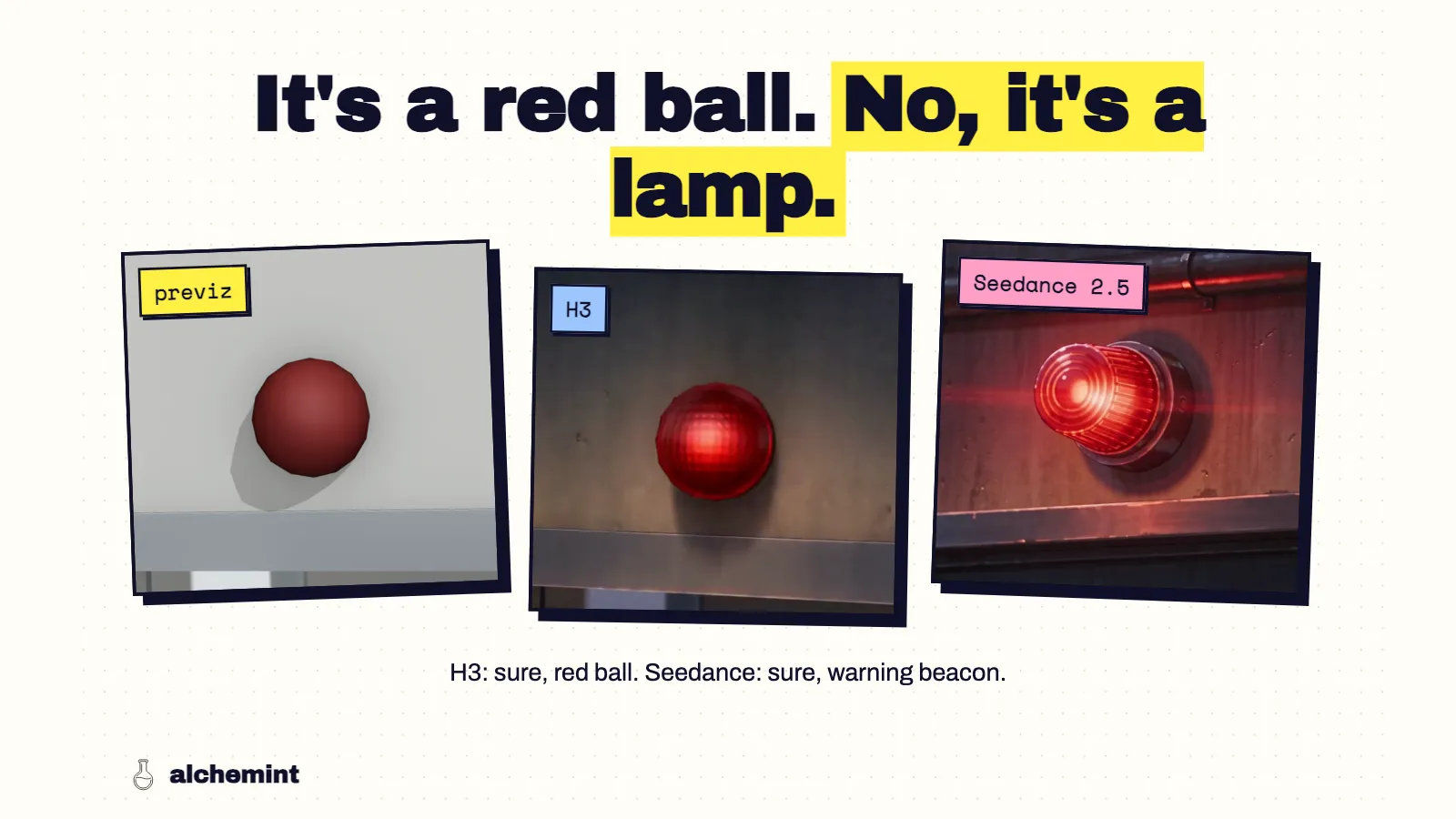
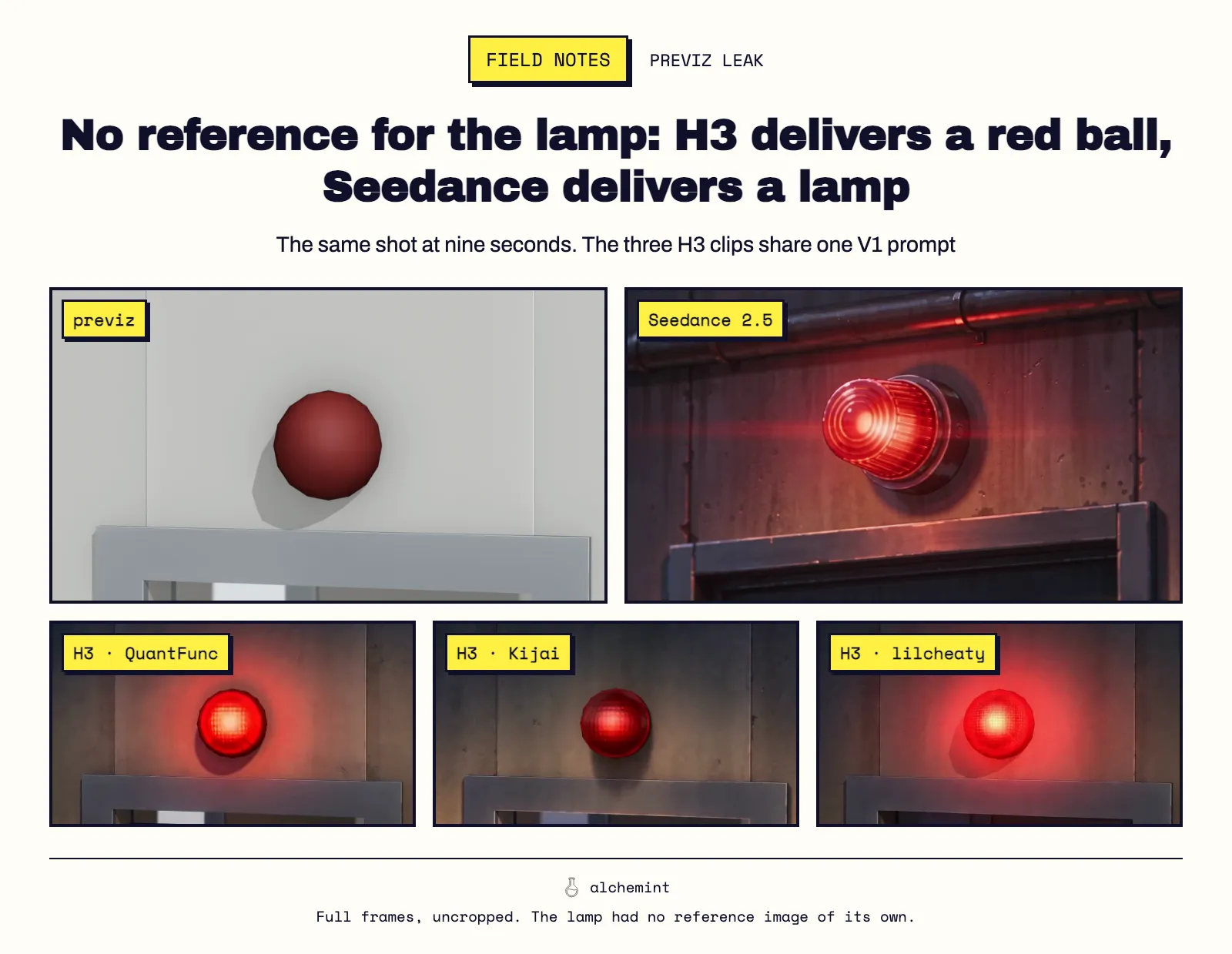
The warning lamp above a rooftop door had no reference image. In the Blender previz it was a low-poly red sphere stuck to a gray wall. All three H3 builds, with the same prompt, painted that sphere: glowing red, a lens texture on top, and on two of them you can still see the faceted outline of the Blender mesh. Seedance 2.5 drew an industrial warning beacon instead, with a ribbed lens, a metal housing and a pipe running along a stained concrete wall.
That one lamp is the whole difference between the two models in miniature. Seedance read the sphere as a warning lamp goes here. H3 read it as this red sphere, finished.
Following the previz without copying it
I measured two things on every clip: how closely its edges match the previz at the same timestamp, and how much of the frame still looks like the previz: untextured, near-colorless gray, like an unrendered Blender surface. The comparison uses the 32 units where both models ran.
- Seedance followed the previz layout more closely than H3. Its edge similarity to the previz beat each H3 condition in 58–75% of units.
- Seedance left almost no previz on screen. 2 of 32 units passed the 3%-of-frame leak threshold. The H3 builds ran from 1 to 13 leaking units out of 39, depending on build and prompt.
- In H3, the two moved together. Across all valid H3 clips, edge similarity and leftover previz area correlate at 0.52. The H3 outputs that tracked the previz most closely were also the ones most likely to hand back its gray walls.
So Seedance can take the structure of a previz without its surfaces. H3 mostly takes both or neither. A mechanism would explain that: H3 conditions on every retained previz frame through its VAE, so the previz's look sits in the conditioning from the first step, and the sampler has to paint it out. I haven't tested that directly, and the measurements stand without it.
What H3 renders correctly
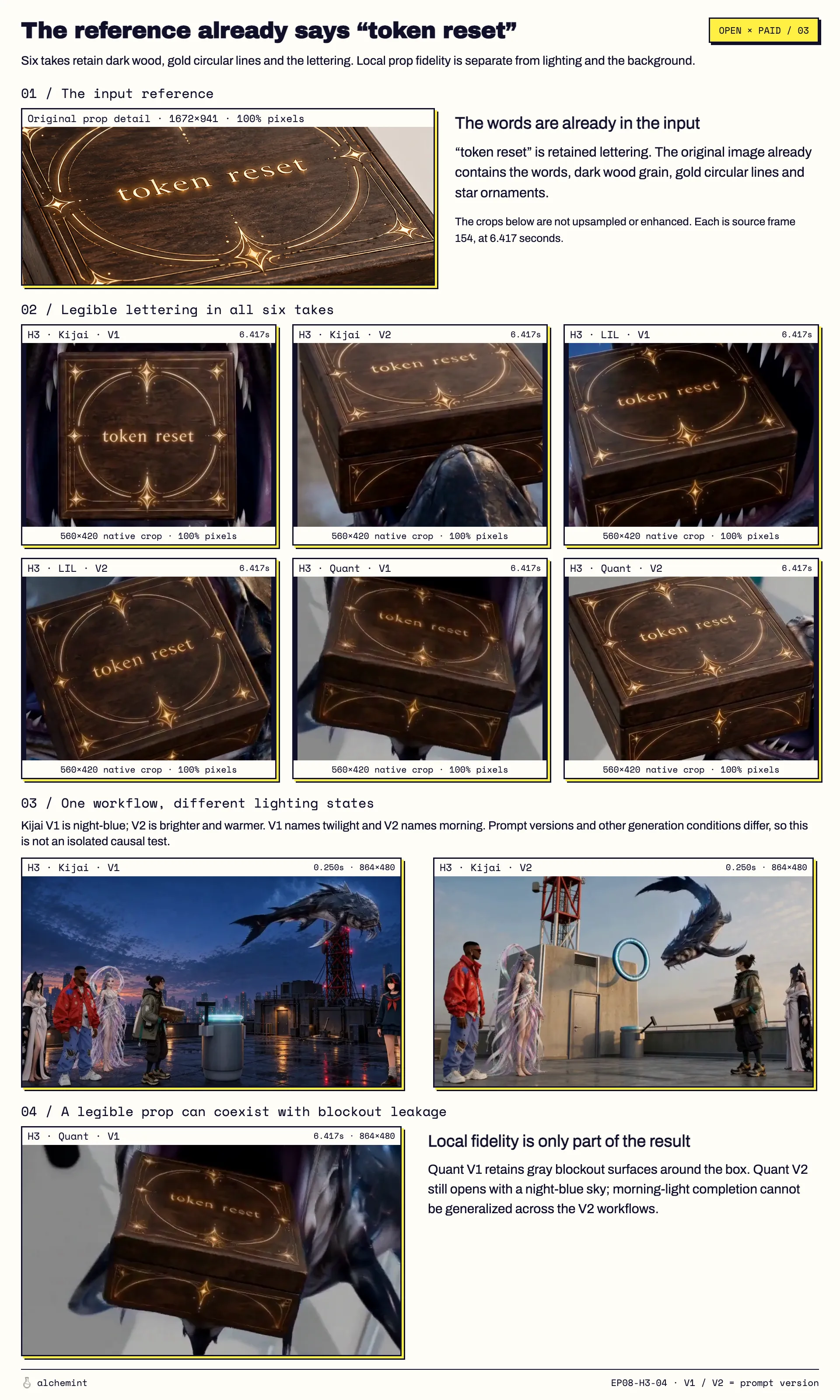
H3 isn't bad at references. What had a dedicated reference image mostly came out right. Characters were rendered in almost every clip; the exceptions I saw were brief, like a Kijai opening that kept the colored proxy figures for a moment. The wooden box, which had its own prop sheet, came back in all six H3 conditions with its grain, the pale gold arcs and the engraved "token reset" line.
The leaks came from what the camera saw that had no reference of its own: walls, stairs, rooftops, a lamp. Each scene did have an environment image, a single establishing painting of the location. That wasn't enough to override the previz geometry shot by shot. In the worst case, a stair descent, one H3 output turned into the Blender scene from six seconds on, with finished characters walking through gray walls.
Seedance isn't immune
One rooftop previz modeled clouds as flat gray ovals. Seedance kept some of those ovals in the sky, next to natural clouds. Two of the H3 V1 builds gave a clean sky for the same stretch.
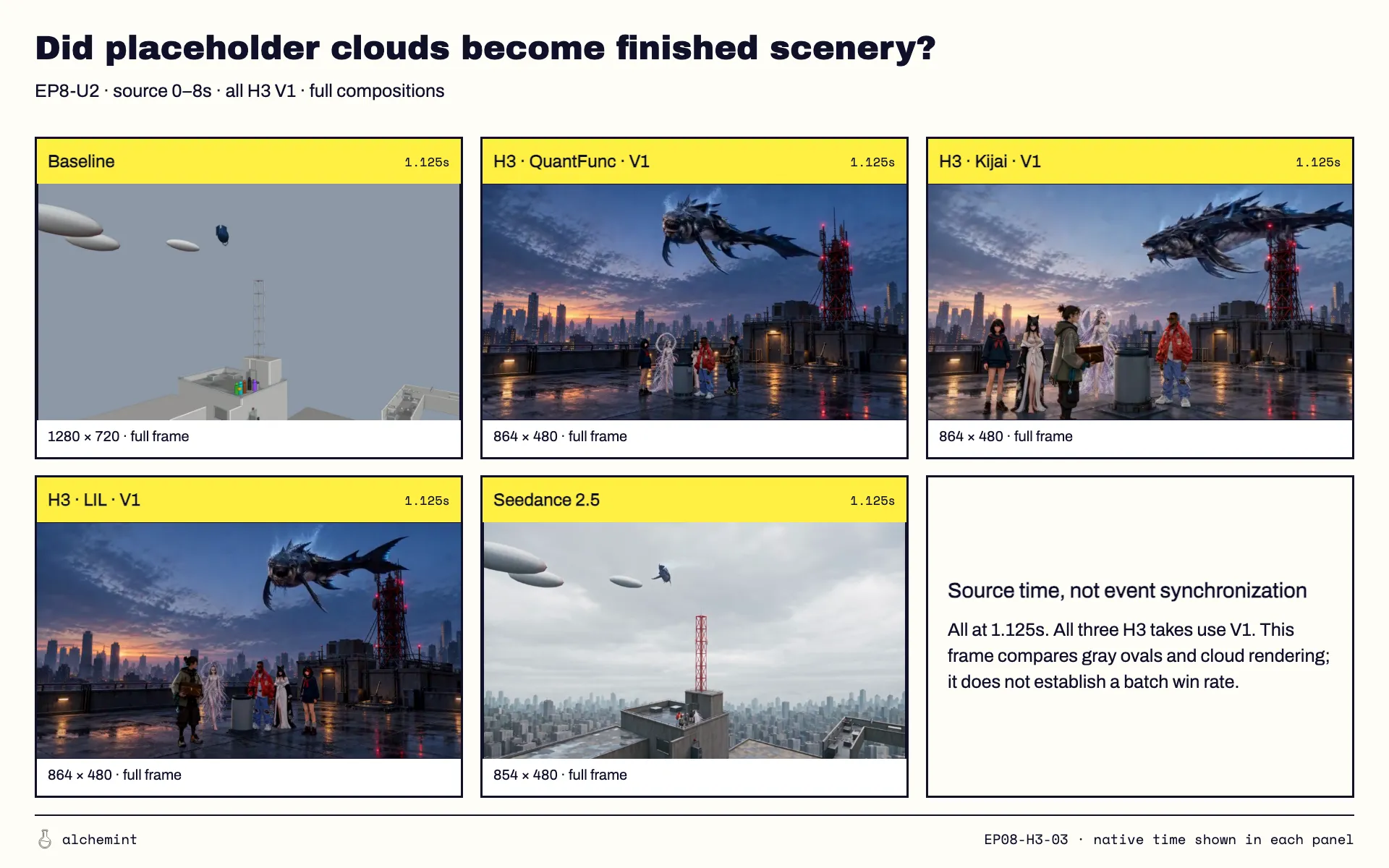
The lamp and the clouds fail in opposite directions for the same reason. A red sphere on a door frame looks enough like a lamp that Seedance could reinterpret it. A gray oval floating in the sky doesn't clearly look like anything, so Seedance kept it. When a stand-in doesn't resemble what it stands for, both models are on their own.
How I'd prepare a previz now
- For H3, give every visible object a reference or a concrete description. If the camera sees it and there's no image for it, write its real material in the shot: "a ribbed red warning beacon in a metal housing." Otherwise you'll get your mesh back.
- Don't describe the previz's look in an H3 prompt. The prompt version that left more previz on screen had 2.3 times as many mentions of gray, proxies and blockout, and 5.5 times as many negations. That's a correlation across many simultaneous changes, but I'd stop writing "the previz is only a placeholder" and describe the finished surface instead. The details are in the H3 template.
- Model stand-ins that resemble the real thing. That one goes for both models. A cloud should look roughly like a cloud, not like a disc. This Blender previz walkthrough shows how we build ours.
- Pick the model by how rough the previz is. For an untextured previz where the environment has to come out finished, I'd use Seedance. On H3, I'd use the Kijai build, which leaked least (see the quantization article).
The next test I want to run is a previz with rough color and texture on the walls, rendered through the same H3 builds. If the leak drops, the fix is in Blender, not in the prompt.
Conditions
The full setup is in the series opener. Specific to this article: previz leakage is the share of 16-pixel blocks with saturation under 0.10, mid brightness and almost no texture, calibrated on previz frames against finished frames; a clip counts as leaking above 3% of the sampled frame area. Edge similarity is the correlation of edge maps at matching timestamps. The two units where the Kijai build produced only noise are excluded, leaving 39.
- 01MiniMax H3 vs Seedance 2.5: We Fed One Previz to Both, 274 Times
- 02Seedance 2.5 Cuts on Your Previz. MiniMax H3 Cuts on Your Text.
- 03Why MiniMax H3 Leaves Your Previz on Screen and Seedance 2.5 Mostly Doesn'tYou are here
- 04What Quantized MiniMax H3 Gives Up: QuantFunc, Kijai and NVFP4 Measured on 246 Clips