
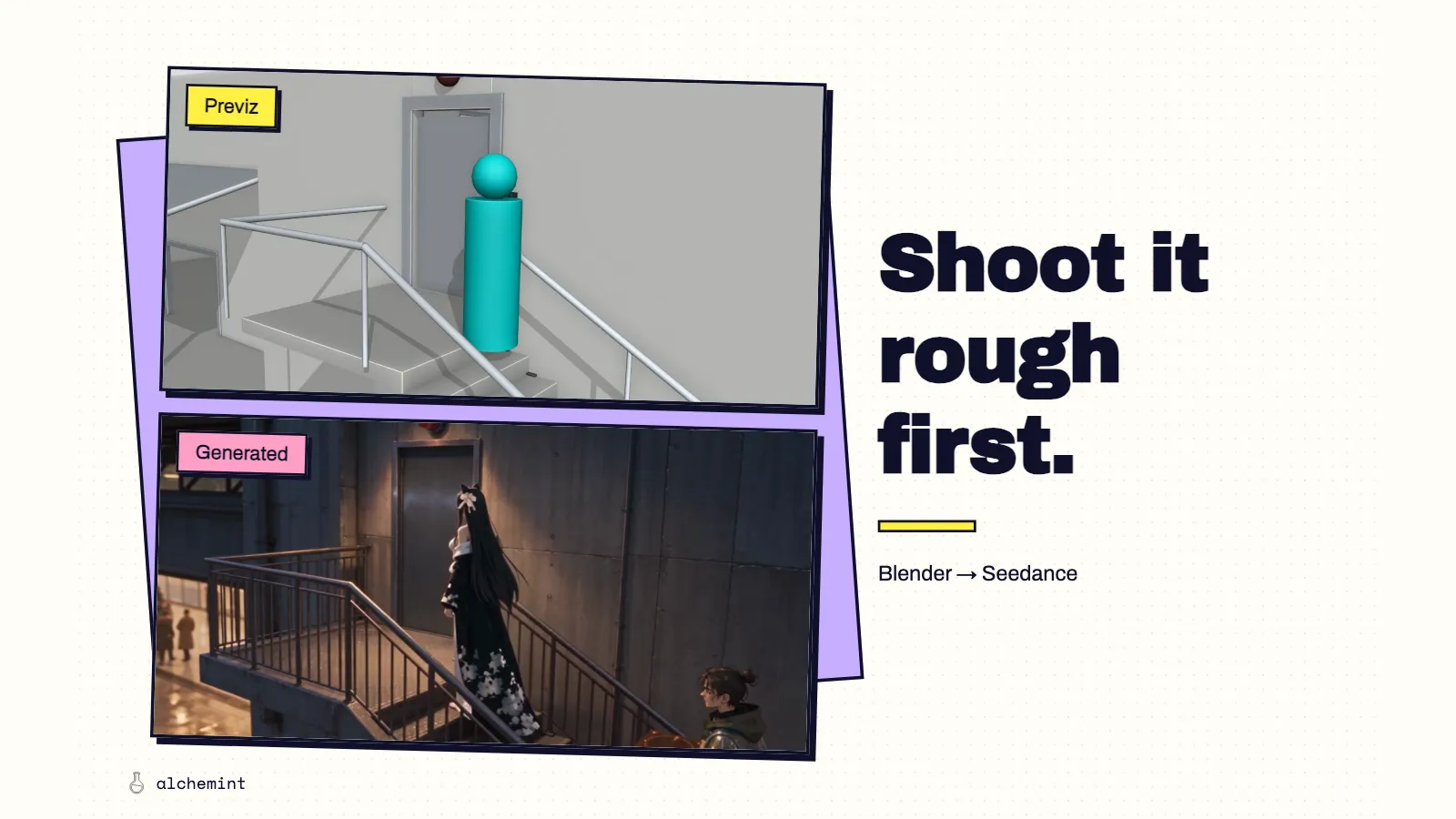
Stop Rewriting Prompts. Install Blender and Make Previz Locally.
Work out complex actions and camera positions in previz. Our heist animation uses Claude Code and Codex to build Blender scenes, exploring a path from editable rehearsals to generated video.
We used 27,315,338 tokens on this video. It would have been more, but fortunately we had the mighty Blender, with Claude Code and Codex helping to operate it.
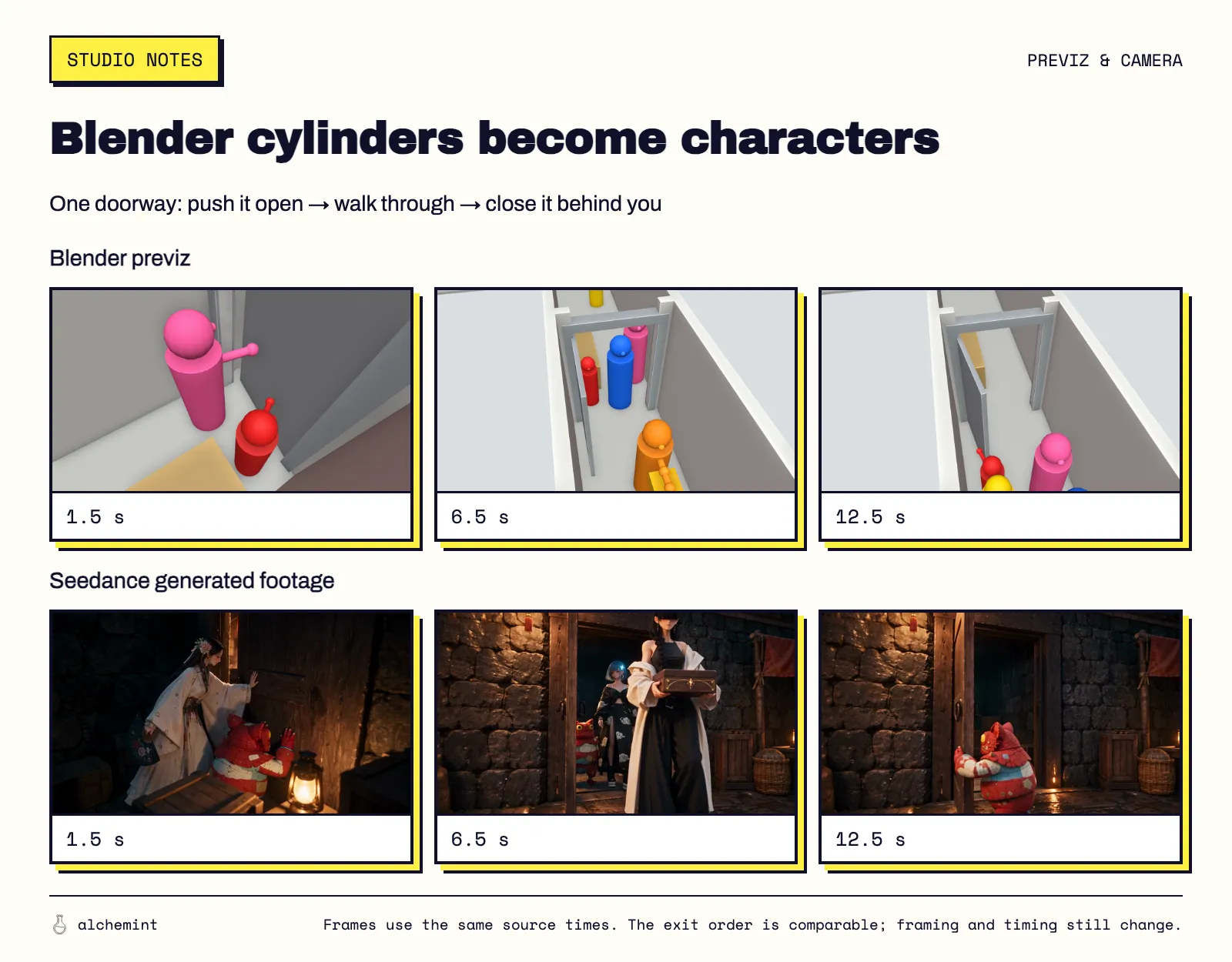
Blender on top, generated footage below. Both rows show 1.5, 6.5 and 12.5 seconds, so you can see how the cylinders and door become a shot. The camera and timing still change in the generated result.
AI writes the code so we can see the directing decisions
Saying that one person passes a box to another doesn't settle how to film it. Whether they stop walking, where the box travels and whose hands the camera shows will all affect how the audience reads the exchange.
We had Codex—the one Tibo resets every now and then—help turn those arrangements into Blender animation. The people could be colored cylinders and the box a small block. As long as we could see who moved, who held the object and what the camera saw, we had a scene to discuss. When something needed changing, we could point to a character, a time interval or a camera position, ask the agent to change the corresponding code, and play it again.
Remember the paper boat and cat story we made with Blender? For this heist, we deliberately added more characters: nine in total, with as many as five appearing in one shot.
The blocky cat model from that project helped us look at positions, occlusion and cameras. In another action experiment, we gave the Blender video directly to Seedance as a motion reference.
Blender is your Visual Studio Code
One night-market scene called for a casual exchange. Kai throws the box over a pedestrian's head, and Shami catches it without stopping. The prompt already described that route. An earlier previz nevertheless put the pedestrian in front of Kai's releasing hand. The box moved, but the audience couldn't see how it left him.
“Over the pedestrian's head” hadn't chosen a useful viewing angle. Adding “keep the hands clearly visible” would still leave someone to decide where the camera belonged. That was a directing choice we could make directly in Blender.
The final revision kept the same side of the action and the 23 mm lens, but raised the camera from 1.0 to 2.4 meters to see over the pedestrian. The movement was also made explicit: Kai raises the box before releasing it, and Shami reaches into the receiving position before the box arrives.
Catching an obscured hand in Blender is a lot cheaper than generating the clip and then swearing at it. If the camera isn't right yet, keep changing it locally. You don't need to spend another round of tokens every time you want to see a different angle.
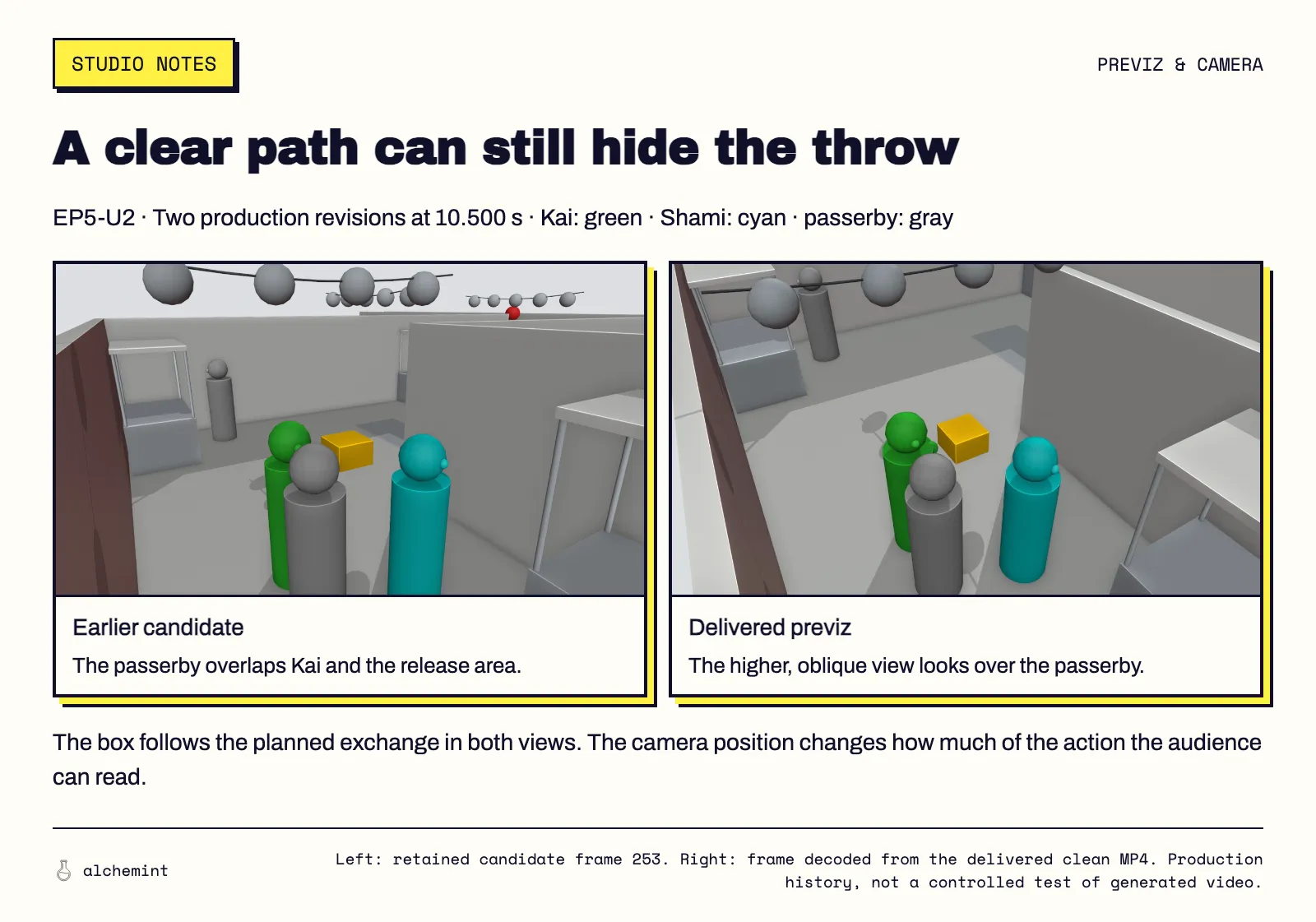
The same moment in an earlier candidate and the delivered previz. Both staging and camera were revised; these are not two generated results.
The delivered Blender reference, 10–13 seconds in the original generation unit, at its original speed. Watch the release and the catch.
Now the action we wanted the model to follow had a visible basis. If the generated footage changed the exchange, we could compare it with a specific release and catch. If the reference itself hid the hands, we needed to revise the staging or camera. Those problems call for changes in different places.
An excerpt from generated footage for the same market scene, at its original speed and with its original audio. Watch the exchange, characters and camera in the generated image. This is not a controlled before-and-after test of the previz revision above.
In one staircase sequence, the cylinders Codex made moved in fits and starts. Seedance learned that very well. The characters moved in fits and starts too. This time, the model followed instructions beautifully. It even copied the bits we'd made badly.
Blender previz on the left, generated footage on the right. Both sides play the original 0–4 seconds in sync, at their original speed.
Prompt or previz: which does the model listen to?
The prompt. Still the prompt.
The original clip's 11–19 seconds, at its original speed and with its original audio. We didn't discard the whole clip: 11.07–13.20 seconds made it into the final film.
The latter part of the prompt we actually submitted read as follows, translated from Chinese:
11–15 seconds | Handheld shot + fast motion: The camera tracks east alongside the cart from the north side of the main corridor, keeping the cart's front and rear push handle clearly distinguishable. Present this section at a very fast pace: the floor and stacks of crates visibly rush behind the characters, while the wheels and White's movement alongside the cart speed up together. Biwa and Suseka run up from behind and move alongside the cart.
15–19 seconds | Handheld shot returns to normal speed: Keep tracking from the same side. White still holds the push handle, and the lamp cart continues sliding east at high speed. Suseka extends the hand holding the crystal; Biwa takes that same crystal. Biwa moves it above the slot at the front of the cart, ready to install it. At the end of the section, the crystal remains in Biwa's hand, not yet in the slot. The large lamp still flickers, and the cart is still moving fast.
This shot tested a conflict between the prompt and the previz. The previz didn't include Suseka passing the crystal to Biwa, but the prompt did. And there we were, sending ByteDance more money.
Then there's the kind that makes you even angrier. We used a few ovals as clouds in the previz. The prompt explicitly said, translated from Chinese:
The gray ovals in the sky represent clouds.
Blender previz on the left, generated footage on the right. Both sides play the original 0–4 seconds in sync, at their original speed.
The background already has clouds. Those ovals are still hanging in the sky. You have previz, you have a prompt, and you still have to watch the result yourself. We later measured the whole batch; why those ovals stay is in this article.
Previz is a very cost-effective strategy, but don't use it as an excuse to get lazy and stop reading your prompts. The video generation model hasn't “understood” your design. It's just a model.
The creator is the director.