
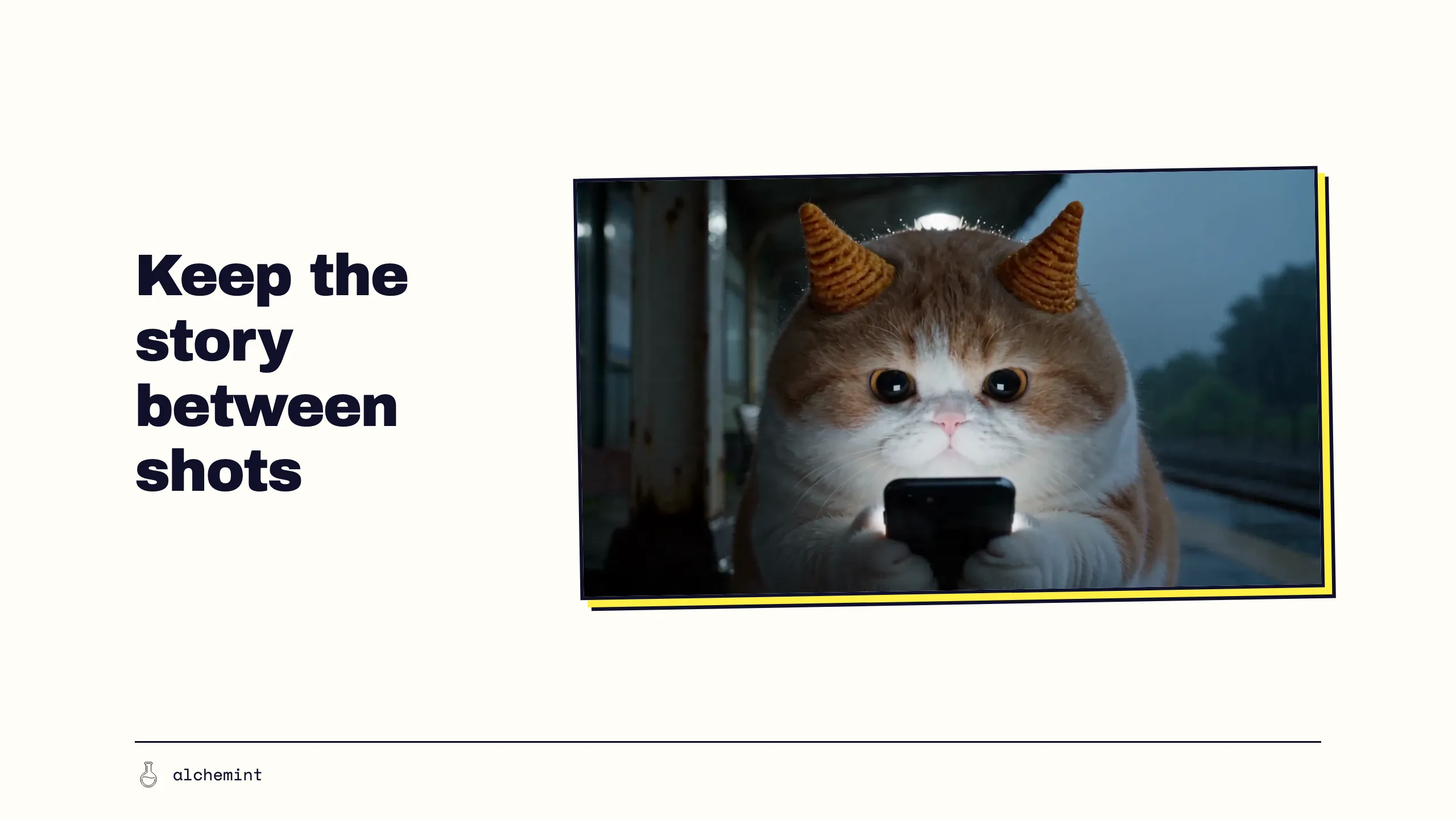
Create Video with AI: use a simple storyboard to connect every shot
Each AI clip looks beautiful on its own, but together they feel like different films. A simple storyboard lets you decide how every shot begins and ends before you generate it.
A storyboard lets a crew discuss shots before filming them.
That drawing is called a storyboard, and it does decision work: it drags "what does this shot actually look like" out of the director's head and turns it into a piece of paper everyone can point at and say "no, not that."
A storyboard does not have to look good. It only has to put the shots in line.
In the last part we sent Meow-Tsui-Chiao-Meow to a rainy train station. This time it has to actually perform there:
Meow-Tsui-Chiao-Meow waits on the platform for a friend who never shows. The last train passes, it gives up, and walks off into the rain.
What a storyboard actually is, and what it is actually for
A storyboard is a run of images in order, one frame per shot, showing what that shot looks like. That is the whole thing.
The problem it solves is less simple: a group of people has to agree on a picture that does not exist yet.
The director has a film in their head. The cinematographer, the art department, the actors and the editor do not. Saying "this bit should feel emotional" in a meeting achieves nothing, because everyone pictures something different and everyone assumes they understood. By the time the difference shows up on set, the money is gone.
A storyboard takes a direct approach: draw it. People can still read details differently, but the frame gives them one shared object to point at and discuss.
How the tool got invented is more interesting than the conclusion.
By the late 1920s, Disney animators were already drawing "story sketches" — rough pictures of how a scene might go. Here is one from June 1928, for Plane Crazy, the first Mickey Mouse film:
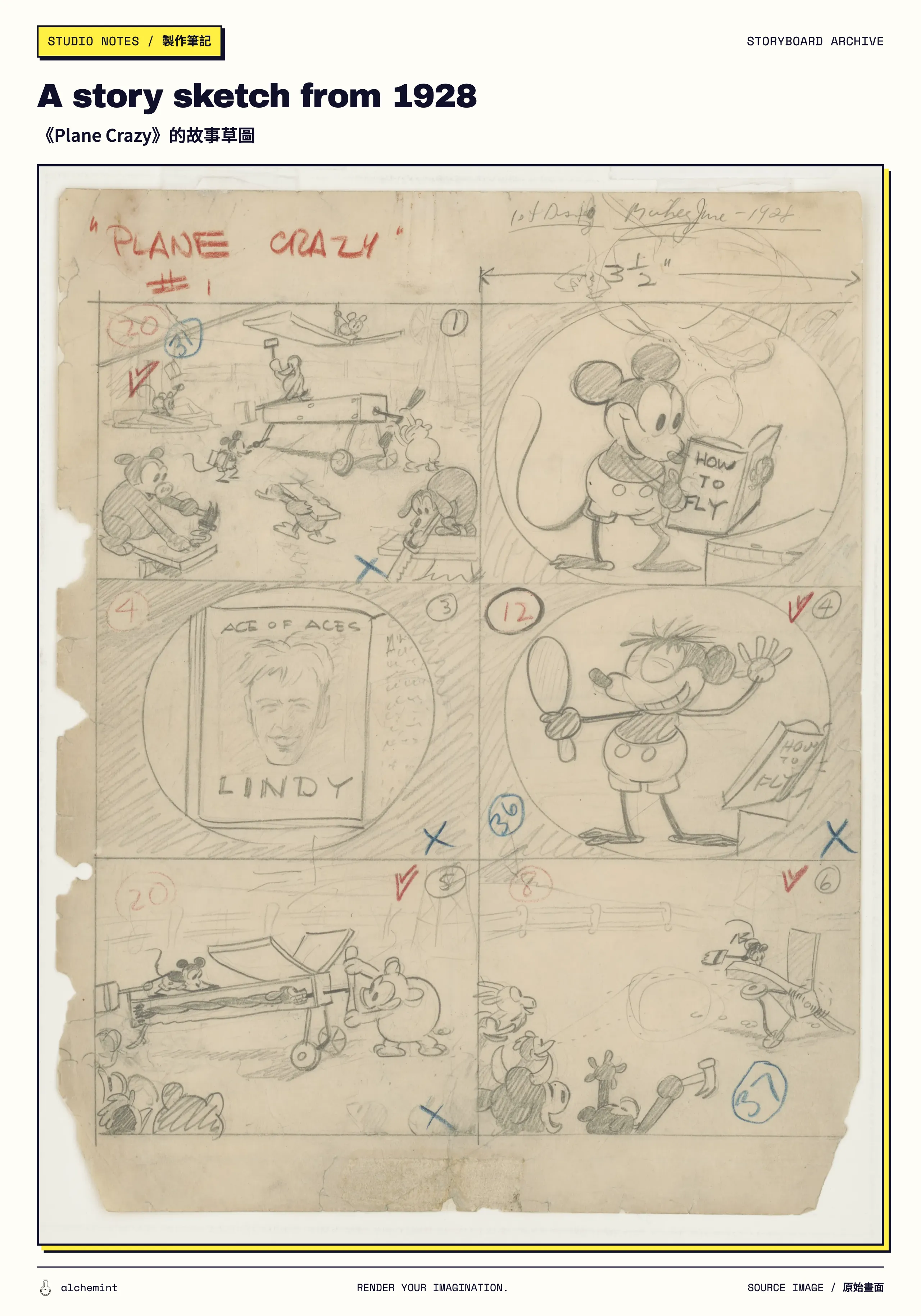
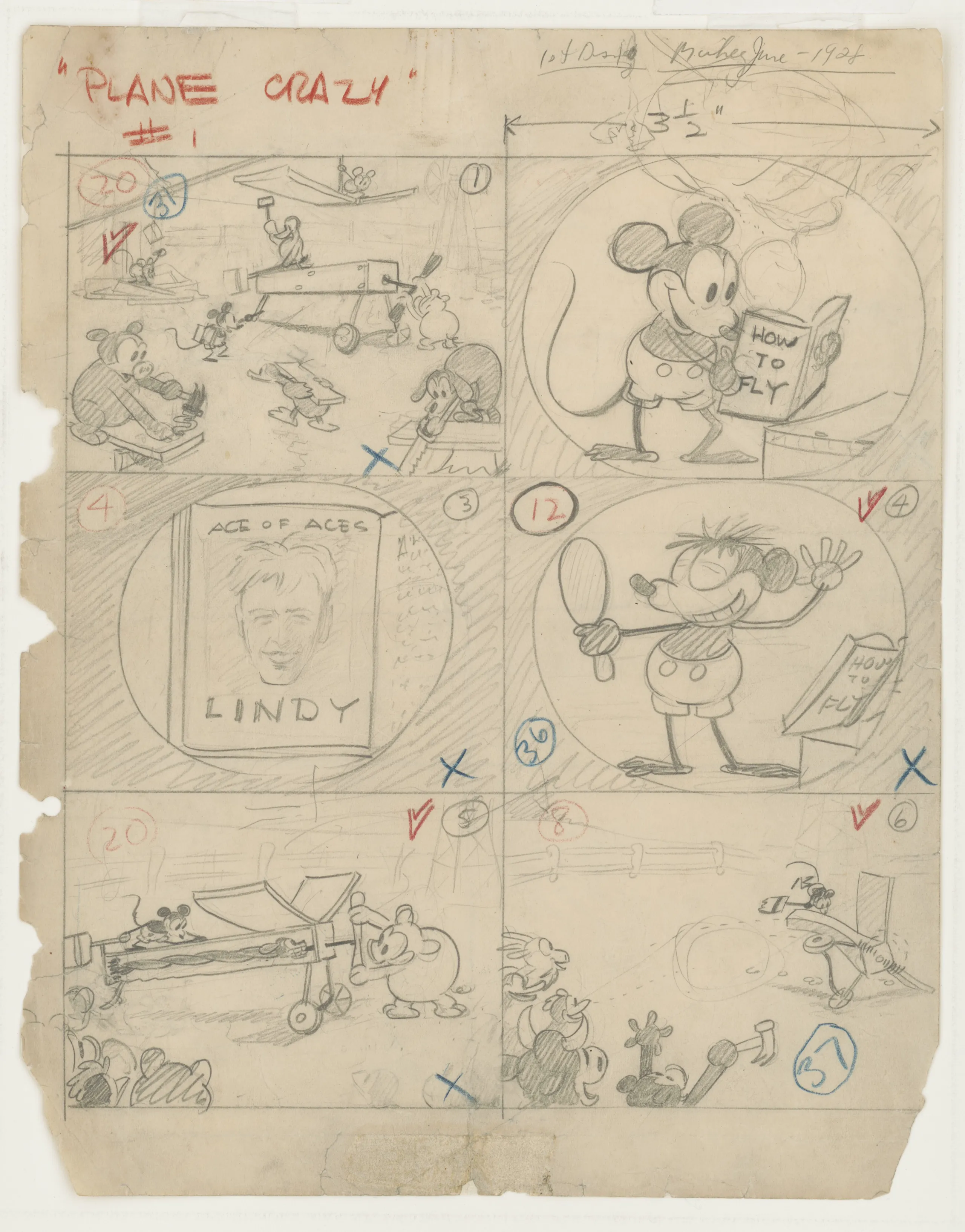
Story sketch for Plane Crazy, drawn by Ub Iwerks, June 1928. Library of Congress (ppmsca.57586), public domain.
It already looks a lot like a storyboard: six panels in order, shot numbers in the corners, notes scribbled around the edges. The best part is those blue crosses — that is someone standing in front of this sheet ninety-odd years ago saying "not that one," at a cost of one pencil.
But it is missing the thing that matters: all six panels live on one sheet. You cannot move panel 3 to position 5.
That step belonged to Webb Smith. Disney credited him with the idea of drawing each scene on a separate sheet and pinning them to a board. It sounds like a change of stationery. It changed what the tool was — the pictures could now be pulled out, reordered, or have a new one shoved in between two others. It stopped being a drawing and became something you could move.
Three Little Pigs in 1933 was the first time anyone did this across an entire film, and Disney built a dedicated story department around it. The rest went fast: Walter Lantz adopted it in early 1935, Warner Bros. in 1936, and by 1937–38 every American animation studio was doing it. Live action followed in the early 1940s.
When an entire industry picks up a tool inside five years, it usually means the tool solved something everybody had and nobody could fix.
As for what those 1933 Three Little Pigs boards actually look like — we would love to show you. But Disney's copyright on that one runs until 2029 and we would prefer not to hear from their legal department, so here is the artwork. Go look at it yourself.
(The 1928 sketch above is fair game because anything published in the US before 1931 is out of copyright. Incidentally, Disney's own D23 site hosts a batch of 1929 sketches from the same era — each one carefully stamped with a D23.com watermark and a © Disney notice.)
Practically, a storyboard does four things at once:
- It surfaces problems early — the story dies at panel three, two panels say the same thing, nothing establishes where we are. Invisible in your head, impossible to hide in a row;
- It gives everyone something to point at — "this feels off" is not a conversation. "Panel 3 to panel 4 skips a step" is;
- It works on people who never read the script — that is the privilege of a picture, and text does not have it;
- It gives the editor a rough cut before there is any footage — hold on to this one.
One more thing that gets misunderstood: a storyboard is not the paperwork where you record what you already decided. It is the deciding.
Hitchcock was famous for his boards. He worked the film out so completely on paper that the shoot was more or less admin. Ridley Scott and the Coen brothers work the same way. What a director settles on the board is this: what the audience sees in this frame and — more importantly — what they do not; where the eye gets pulled; how long this one holds before the cut.
Some directors settle most composition, eyeline and cut decisions on the storyboard, then execute or adjust them on set.
What a storyboard for a video looks like, and how to make one
First, something to get out of the way, or the rest of this gets confusing: a professional crew carries two documents, not one.
The storyboard answers "what does this shot look like" and it is visual — frames, in order. Then there is a shot list, which answers "how many shots do we need, what lens, where, and in what order do we shoot them." That one is a checklist, and the assistant director works off it on set. Neither replaces the other, and mashing them into one document helps nobody. This article is about the storyboard. The shot list gets its own piece next time.
Start each storyboard frame with three things:
- A picture — legible composition is enough. Stick figures qualify. So do phone photos and pasted screenshots;
- One line — what happens in this shot;
- A position — which number it is.
Those three are enough to start. You do not need to be able to draw, because what the frame carries is a decision, not artwork.
Meow-Tsui-Chiao-Meow's rainy night, one picture per frame:
| Frame | What the picture shows |
|---|---|
| 1 | Empty platform, rain under the lamps, wide |
| 2 | Meow-Tsui-Chiao-Meow crouched by the sign, staring at a phone |
| 3 | The phone screen goes dark, just the cat's face |
| 4 | The last train passes behind it, headlights sweeping the platform |
| 5 | It turns and walks into the rain, from behind |
Five frames in and you can already see things. Frames 1 and 4 are both wide — too repetitive? Is the close-up in frame 3 arriving too early? Is any of these frames doing nothing?
This example shows the storyboard's central use: making those questions appear before money is spent.
The same method works for short and long films. A 30-second piece might have only five to eight frames, with little time to ease into the story, so every frame has to bring something new.
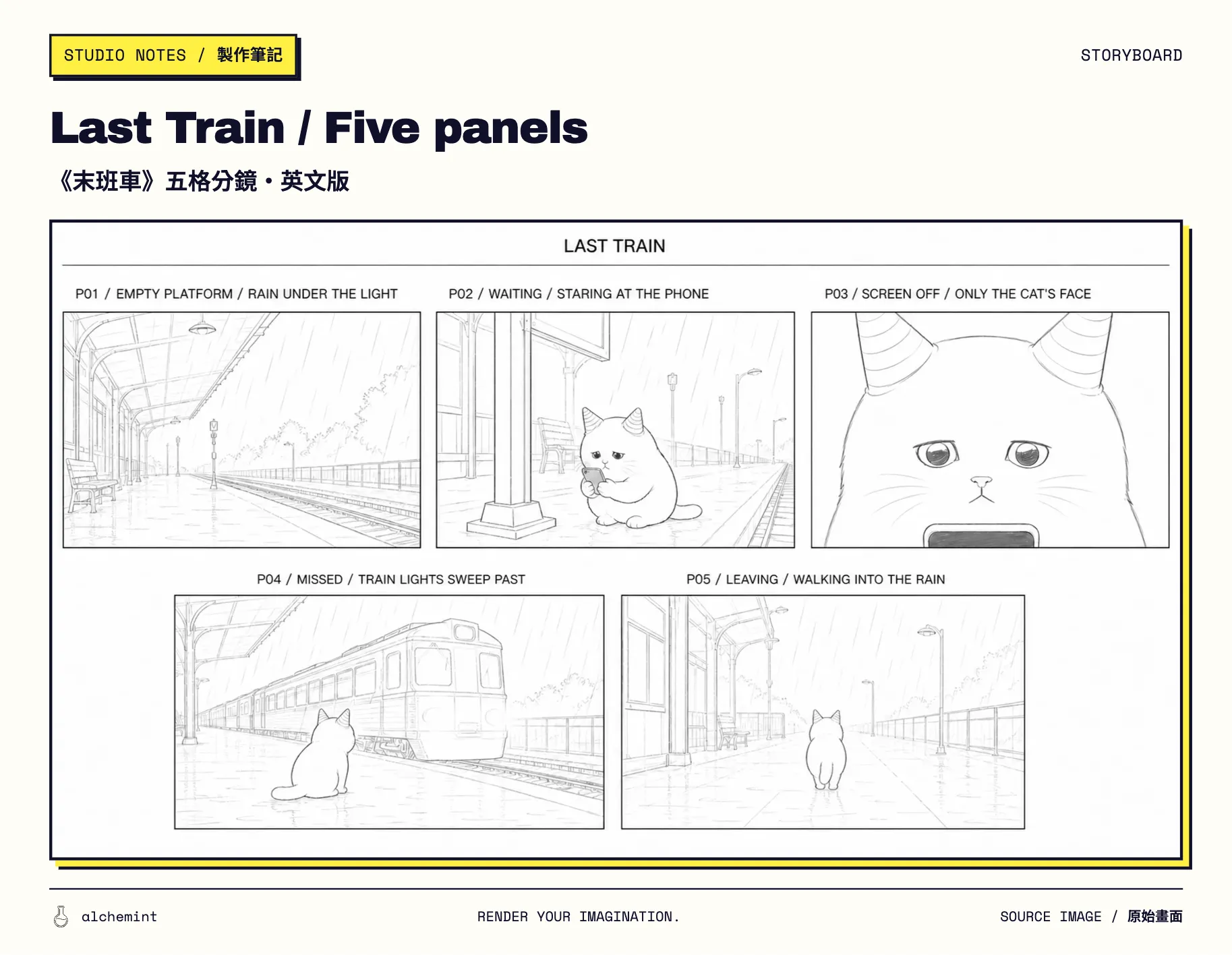
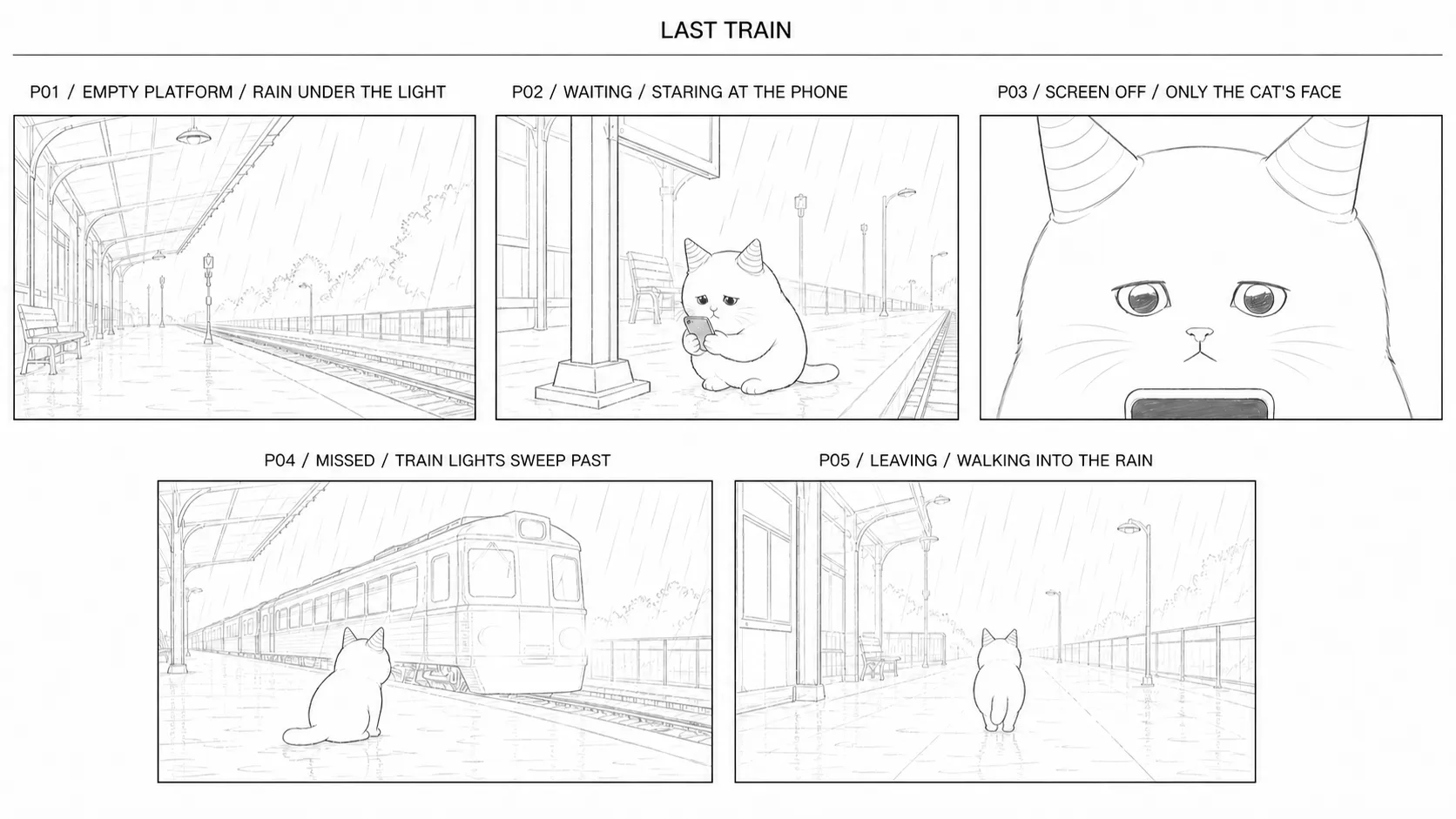
The same scene as a storyboard. Five line drawings, not one of which needed to look good.
With AI generation, the storyboard's job changes
Those five frames work because of something that is not on the paper.
The camera operator finishes frame 2 and is still standing there. They remember which side of the sign the cat was on, where the phone was, which direction the light came from. None of it needs asking, because they watched it happen thirty seconds ago.
The set is a shared reference. People can inspect where the phone sits and which way the light falls, alongside the continuity records they keep between takes.
The storyboard is not the only place that holds those details.
AI generation separates that shared on-set memory from the next submission.
In a segmented workflow, a new submission receives only the prompt and assets supplied for that job. Unless the previous frame, clip or state description is attached again, the new job has no concrete image of the preceding shot to continue. A platform may retain job history without automatically carrying the last shot's character, position and lighting into the next request.
Without a storyboard holding it in place, this is what you get:
End of shot 2: the phone is on the cat's right. Start of shot 3: the phone is on the left.
Both generated fine. Both look good. Cut together, the audience clocks it instantly.
The storyboard still helps everyone agree on the same picture. In segmented generation, it has to sit beside the character references, preceding frames, submitted prompts and edit record to preserve state across shots.
Two more lines per frame
The fix is small. Keep the picture, add two lines.
Opening state — what the world looks like the moment this frame starts:
Meow-Tsui-Chiao-Meow crouched to the right of the sign, phone propped on the bench in front of it, facing the tracks on the left.
Closing state — what this frame leaves behind:
It knocks the phone over with a paw and stands up; position and facing unchanged.
The opening state connects this frame to the last one. The closing state is raw material for the next.
Only four categories, and none of them need prose:
- Character: same character, same outfit, current pose;
- Objects: where the phone, the bag, the product currently is;
- Position: which side of the frame, facing which way;
- Action: what was already finished before this frame, and where it stops.
Filled in:
| Frame | What the picture shows | What it leaves behind |
|---|---|---|
| 1 | Empty platform, rain under the lamps | The cat enters from frame right |
| 2 | Crouched by the sign, staring at the phone | Phone on the right, cat parked by the sign |
| 3 | Screen goes dark | Head up, body still facing the tracks |
| 4 | Last train passes | Briefly lit by the headlights |
| 5 | Turns and leaves | Back to camera, exits the side it entered from |
Laid out in a row it becomes obvious: frames 2, 3 and 4 have to share the same position, the same side and the same facing. Seeing that before you generate is considerably cheaper than seeing it after.
One misreading to head off: the right-hand column records state, not appearance. "What Meow-Tsui-Chiao-Meow looks like" goes in the character reference once and never gets repeated per frame. This column answers exactly one question — at the end of the last frame, what did the world look like?
If a frame has too much state changing at once for the model to handle, splitting it into two frames beats demanding that it hold more in its head.
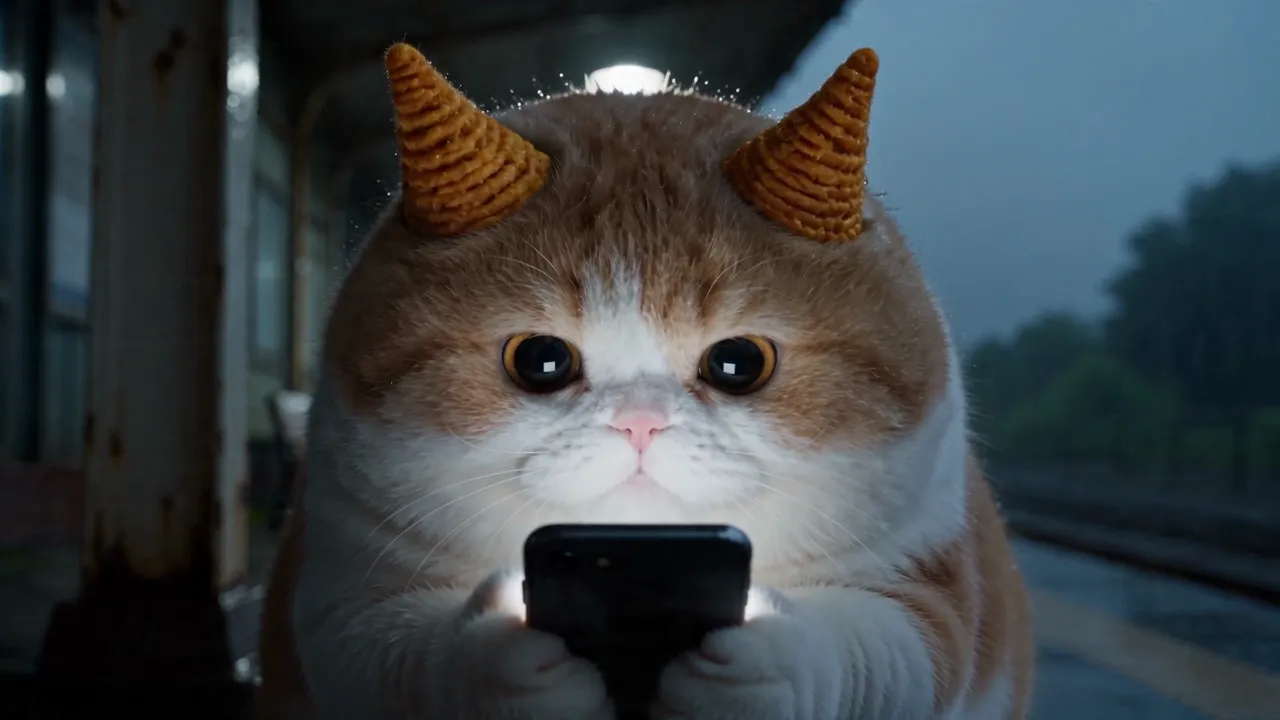
Generate frame by frame from that table, cut the five together, and you get this:
Update the storyboard with an actual frame from the previous shot
A traditional storyboard is a sketch made before final output, so its details will not match the finished footage exactly. In a shot-by-shot AI video workflow, an actual frame from one completed shot can give the next shot a more concrete starting point than the original sketch.
How:
- Pick the end frame from the previous shot where the state reads most clearly;
- Check that the character, the objects, the direction and the light are all legible;
- Use it as the opening reference for the next shot;
- Write the next instruction to describe only the new action;
- Generate, then watch it back against the shots either side.
The storyboard can gradually incorporate generated frames: the drawings preserve shot intent, while output frames add the current character, lighting and scene state.
Not every tool preserves reference detail perfectly, but at minimum the next generation starts from something concrete instead of guessing from text again.
The reverse also holds: if the next frame is meant to change location or angle dramatically, do not force continuity. Drop in an empty shot, a detail, a reaction — the audience will accept that time and space moved. Editors have used this forever.
When two shots refuse to connect, work out which kind it is
Remember the storyboard's fourth job — giving the editor a rough cut. That part is now yours.
The storyboard handles the handoff before generation. Once clips 01, 02 and 03 exist, the open-source Curtoom video-clip-stitching skill takes over: check the effective frame rate and slow-start frames, classify the seam, then choose a hard cut, trim the stagnant opening or add a short dissolve.
Put the two clips side by side and name what jumped:
- A person or object is in a different state;
- The screen direction reversed;
- A step is missing from the action;
- The location or light feels like somewhere else;
- Both shots say the same thing;
- This shot did not need to exist.
Then take the cheapest available fix:
| Problem | Try this first |
|---|---|
| A step is missing | Add a frame to the storyboard, or split an over-long shot |
| Wrong opening state | Swap in the previous end frame, or a closer reference |
| Direction reversed | Redo the composition, or add a frame that re-establishes the space |
| Only the head or tail jumps | Trim the shot, move the cut point |
| Location changed but the story allows it | Use an empty shot, sound or a title to justify it |
| The shot carries no new information | Cut it |
| The character itself changed (face, fur, accessories) | Not a continuity problem. Fixing the storyboard will not help |
That last row needs separating out. A phone moving from right hand to left is a state that did not carry — try adding a frame or changing the reference. But if the cat came back with a different face, no amount of connective tissue matters: that is a character reference problem, and it lives in Part 4: Keep the same character recognisable across shots. The two often happen together, so identify the dominant symptom before you start fixing the wrong thing.
Then there is an often-overlooked way to connect shots: sound. Rain, a train, a platform announcement — audio crosses a cut and makes two separately generated clips feel like one time and place. Let shot 3 end with the train audible before shot 4 shows it arriving, and the audience connects them by ear even when the compositions do not match.
But sound only connects mood and time. It cannot connect facts. A swapped face, a swapped hand, an object teleporting across frame — no score covers that. Get the opening and closing states right first, then use sound to smooth the cut.
And one blunt piece of advice: do not keep a clip because it cost a lot of credits. Editing has exactly one job: getting you understood.
A storyboard you can copy straight off the page
Before generating each frame, fill in six columns:
| Column | The question it answers |
|---|---|
| Job of this frame | What does the audience learn here? |
| Opening state | Where do the character, objects and position start? |
| Main action | What is the one thing this frame does? |
| Closing state | Where does the action stop? |
| Next frame must inherit | What is not allowed to change suddenly? |
| Risk | What is most likely to drift or need a re-roll? |
After generating, add one more:
Decision: accept, trim, add a frame, change the reference, or generate again?
When those people pinned sketches to a board ninety-odd years ago, it was so a group who could not see the same film could agree on it. The problem has not gone anywhere. The member sitting across the table just changed.
For a model, the storyboard is one visible description of the shots. The prompt, reference images and tail frame add the action and current state.
So before you hit generate, write two more lines on every frame: where this one starts, and what it hands to the next.
When each clip stops beginning from nothing, you finally have a chance of cutting them into the same film.
- 01Create Video with AI: your prompt is your video
- 02Create Video with AI: start with text, an image or a script?
- 03Create Video with AI: use a simple storyboard to connect every shotYou are here
- 04AI Video Character Consistency Starts with a Character Sheet