
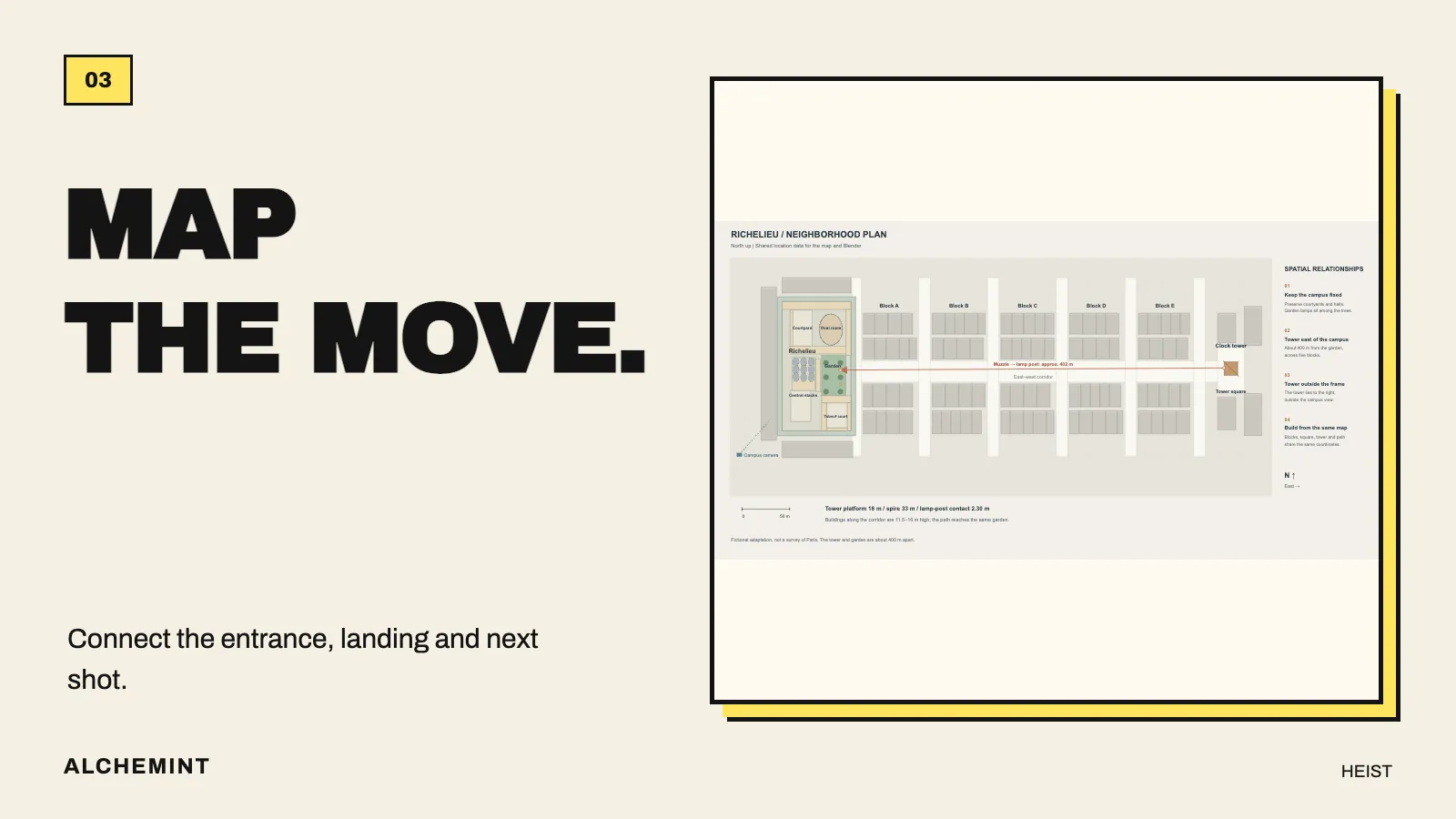
Where Does the Character Go? Map the Scene Before Generating It
Use plans, sections, and local movement paths to put doors, rooftops, landing points, and camera directions into one space you can check.
“Jump from the roof into the library” sounds clear until you try to shoot it. Which dome? Is there a desk or an aisle underneath? Where is the person who arrived first? Will the next character land on top of them?
If every shot invents those relationships again, individual images may look beautiful while the edit seems to switch buildings. A map gives those questions a shared answer.
Start with the small area where the event happens
You do not need to build a city to begin. For SUSEKA’s landing, BIWA’s teasing, and WHITE’s arrival, first draw four things: the roof opening projected onto the floor, the desk she hits, the aisle beside it, and BIWA’s position.
Then add WHITE’s landing point. It must avoid both the broken desk and SUSEKA sitting on the floor, leaving room for his recovery and the conversation. A simple top-down sketch can already rule out awkward choices: a camera angle that hides the desk contact, or a landing point that forces characters to pass through each other in the next shot.
The map’s first job is to reveal those conflicts before generation.
Plans show direction; sections show height
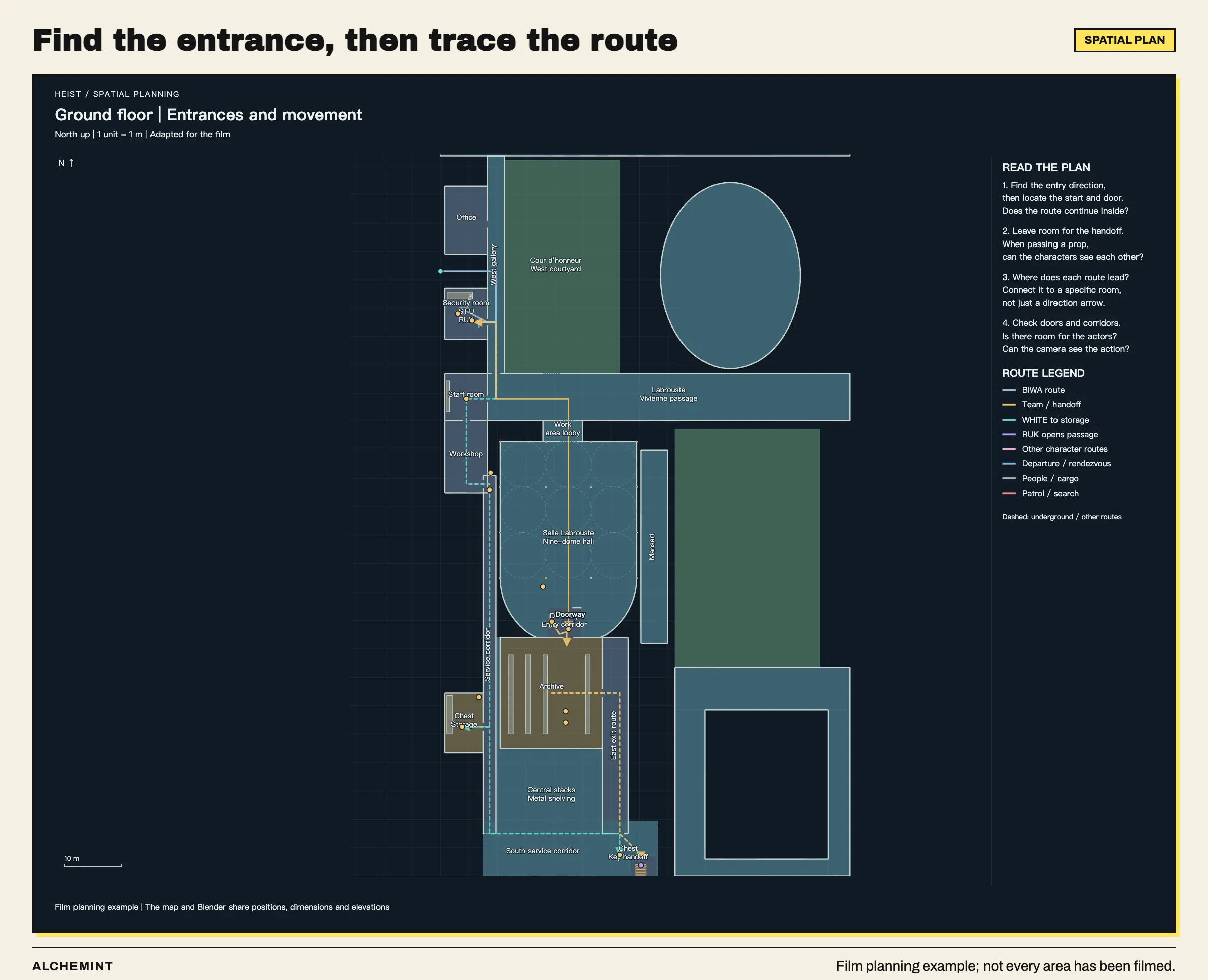
An overall building plan, including areas that have not been filmed. For an exercise, find the entrances, rooms, and corridors your scene uses, and draw only the area that needs to connect.
A floor plan can show which room a door leads into. It cannot, on its own, show the distance between the roof and a tabletop. Add a section when the action crosses levels.
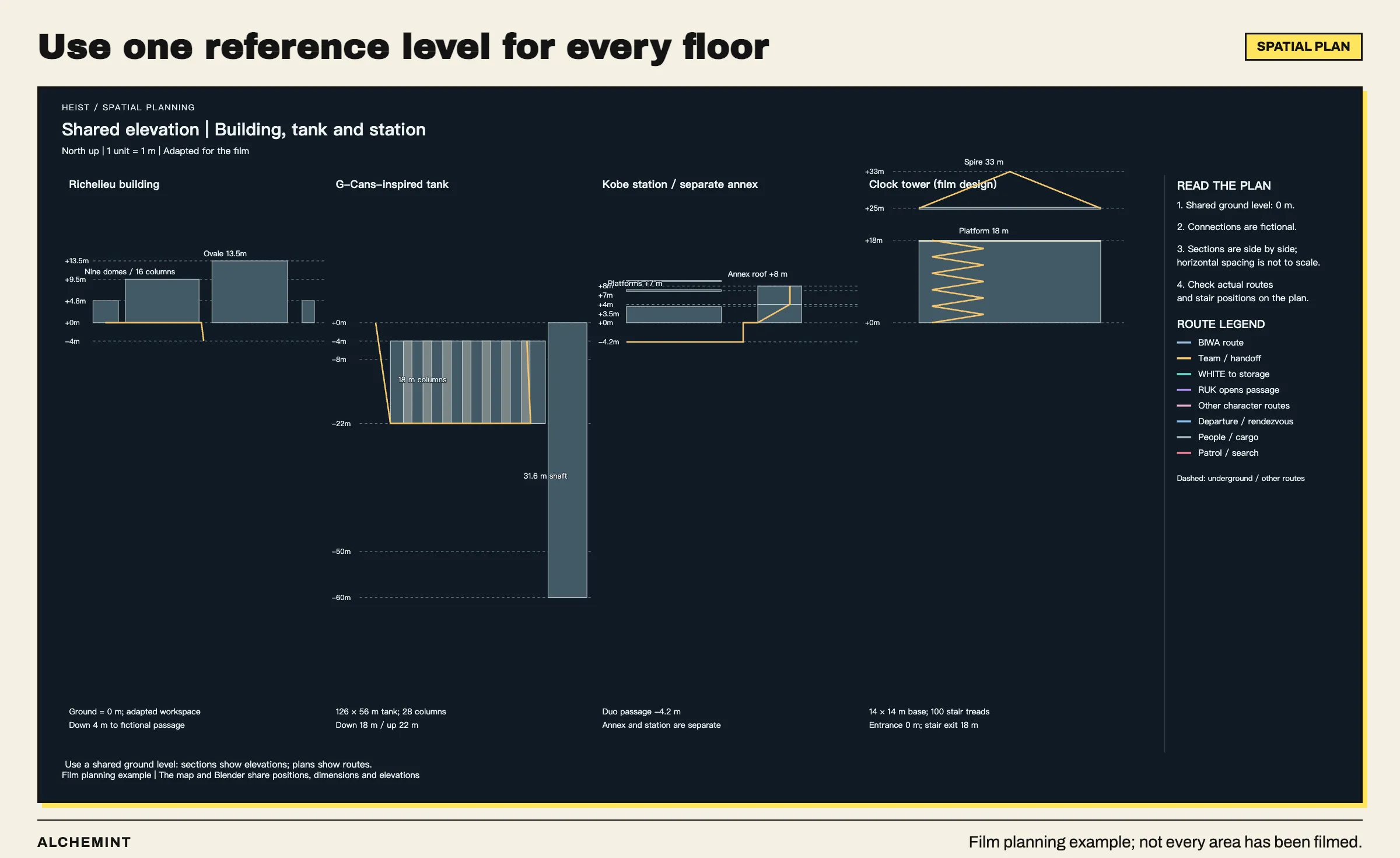
Putting the ground, underground spaces, and rooftops into one section avoids giving each location a different definition of “ground level.”
Start by marking direction and units, such as “north is up; dimensions are in meters.” For modeling, define the ground as zero so that tables, platforms, and roofs use the same height reference. Shared dimensions make it possible to check whether the plan and section connect.
Include that convention when asking an assistant to build the scene. Otherwise, “move two meters to the right” could mean screen right, east on the map, or the character’s right.
Add a relationship table for what the drawing leaves open
For the landing scene, we can organize the action as follows. This is a reusable format; fill it with positions from your own scene rather than copying Heist’s measurements.
| Element | Before the action | After the action | Relationship to preserve |
|---|---|---|---|
| SUSEKA | Descending below the roof opening | Sitting beside the broken desk | Feet contact the desk before it fails and she falls |
| BIWA | On the aisle side of the desk | Looking toward SUSEKA from the same spot | Can see the landing without standing in its path |
| WHITE | Still outside the frame | Standing in the adjacent clear aisle | Avoids the desk and enters through the same opening above |
| Camera | Following close in front of SUSEKA | Near floor level | Contact detail on the same side connects to the reaction |
This table also helps you decide whether another image is necessary. If all three positions are clear and the remaining problem is lip movement on one line, expanding the environment will not help.
Extend the map when the action covers a longer distance
Heist has another spatial problem: MeiHua fires a miniature device from a clock tower toward the garden of the library complex. Two isolated room plans are not enough because buildings and distance separate the start and destination.
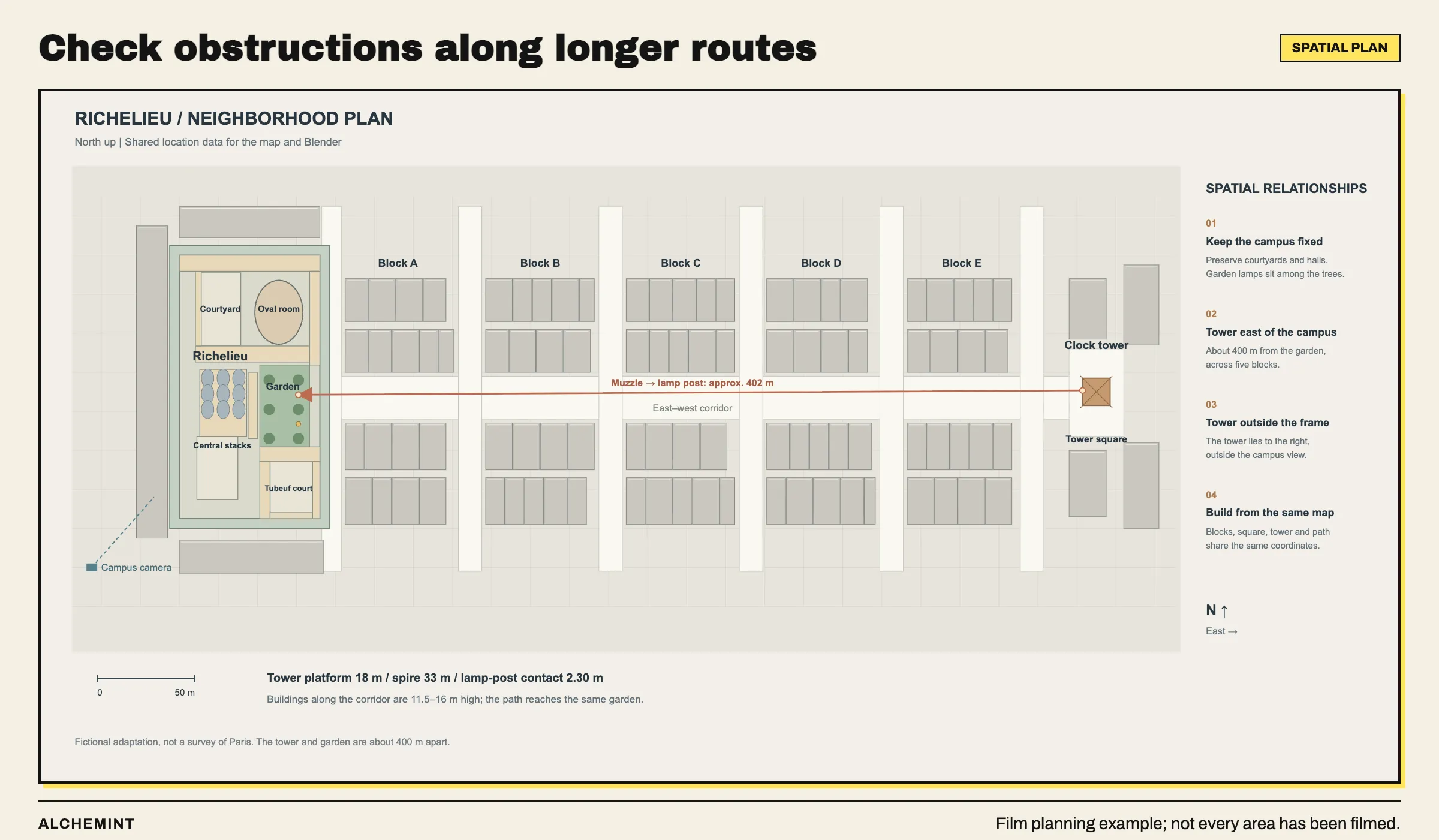
A design with roughly 400 meters between the tower and garden. The line lets us check whether buildings obstruct the route. This illustrates spatial planning, rather than reconstructing the geography of every shot in the finished edit.
For this kind of shot, put the start, destination, and possible obstructions on one plan. Then use Blender to check whether the path intersects a building. “From the tower to the garden” becomes a route we can inspect, rather than an imagined connection between two pictures.
Also distinguish a real location from the film’s world. Heist includes fictional connections between adapted settings. The map records the space used by the film. Borrowing a recognizable architectural feature does not require every distance and connection to match a real city.
Check the route with simple models first
Use this plan and relationship table to build a local scene in Blender
from boxes, planes, and simple figures.
Create the floor, desk, roof-opening projection, and three figures first.
Preserve the supplied directions, dimensions, and character positions.
Show a top view, a side view, and the intended camera view.
Identify paths that intersect objects, hide a contact, or fail to connect.
Do not change the story to resolve those problems without discussing it.
Check whether the entrance is open, the characters fit, the movement avoids objects, and the camera can see the essential action.
Once this shot’s start, landing point, and next entrance connect, you do not need to finish every other floor before trying a generation. If you are still unsure how to film it, make a local previz next. If the location must remain consistent across shots, decide whether to retain the Blender environment and generate greenscreen characters.
After checking the space, crop the relevant part of the plan or export the corresponding Blender view. The video model usually only needs this shot’s entrance, people, and landing point. Keep the complete map for checking continuity across scenes, so each shot does not rearrange the location from scratch.
Start here: how much should you prepare before generating?
Original character designs purchased from Aimikoda.