
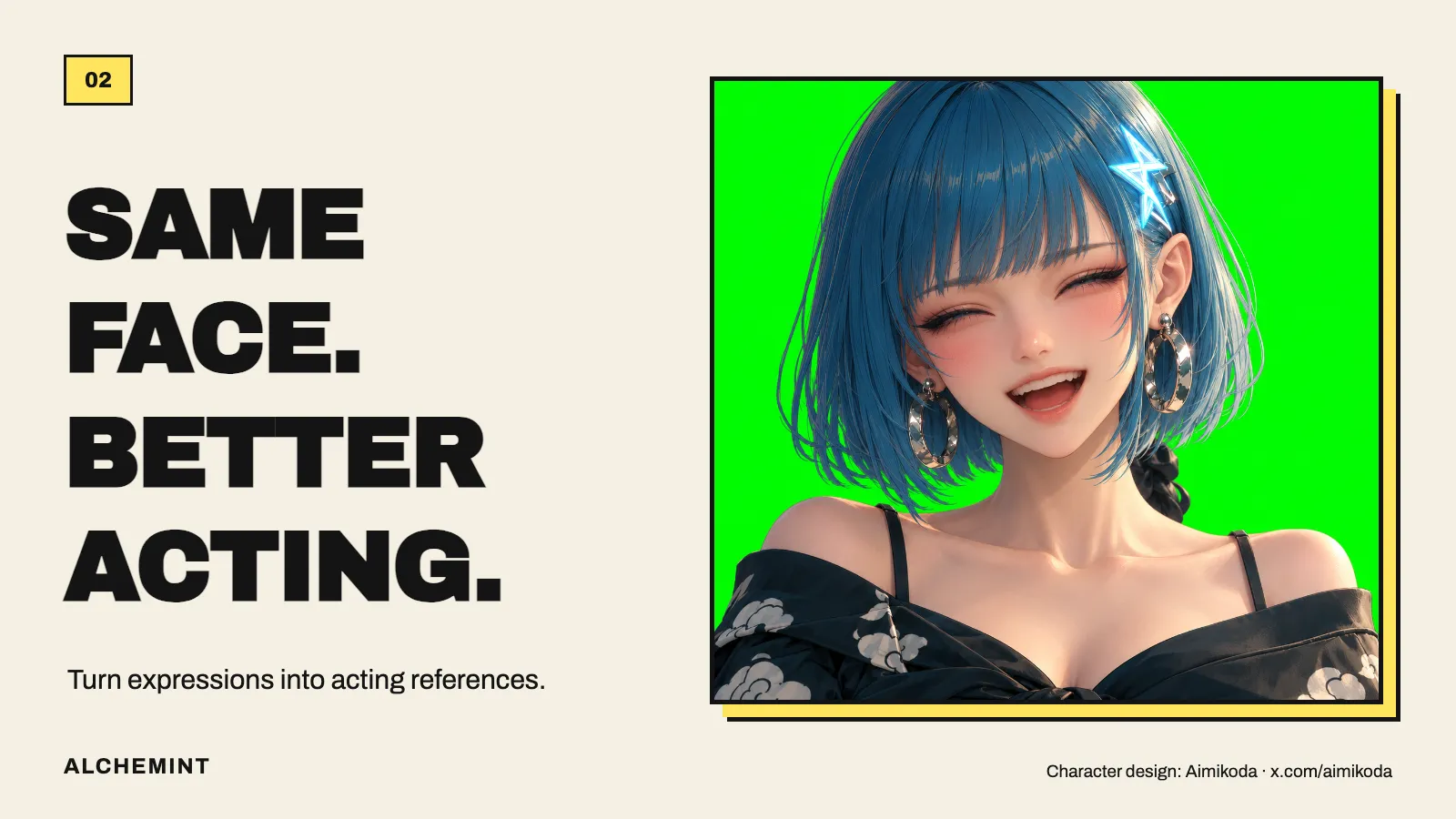
The Character Looks Right. How Do You Get the Performance Right?
Turn a character sheet into useful expression and pose references. SUSEKA, RUK, and MeiHua show how to preserve identity while making the acting more specific.
A character sheet answers “Who is she?” It does not necessarily answer “How does she feel about what is happening?”
When SUSEKA leaps in, surprise, tension, concentration, and anticipation could all make sense, but they create different characters on screen. If she looks terrified, the audience may read an accident. If she starts with anticipation and her smile opens up, the jump becomes a game she enjoys.
Expression references make that distinction visible before video generation.
Keep one design sheet as the identity reference
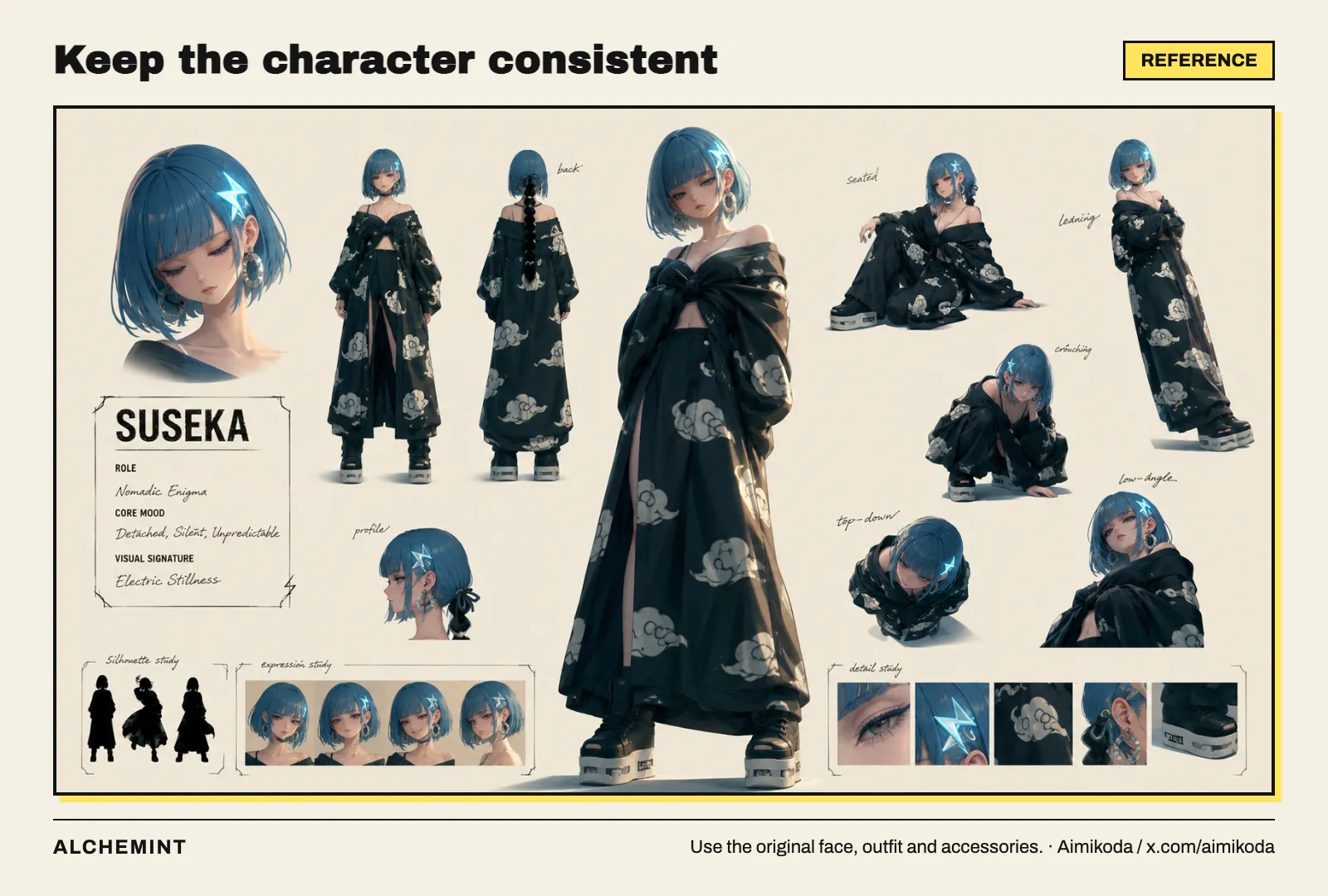
SUSEKA’s original design, from character assets purchased from Aimikoda. The additional expressions preserve that identity rather than redesigning the outfit and hairstyle.
Before generating extra images, list the traits that must not change with the expression: face shape, body proportions, hairstyle, the side of an accessory, the neckline, and other defining details. The list can be short, but it should let you decide whether a new image still depicts the same person.
SUSEKA’s star-shaped hair clip is on her own left side. Write “the character’s left,” not simply “left.” In a front view, it appears on the viewer’s right; from behind, that relationship changes. A clear frame of reference is easier to check than a repeated instruction not to swap sides.
Break the emotion into a progression
First decide the character’s attitude toward the event in one sentence. To show that she enjoys the jump, we can use “anticipation → excitement → delight.” The smile is held back at first, then she opens her eyes and shows her teeth, and finally lets the smile open fully. Each image supplies a stage, giving the video a direction to develop.
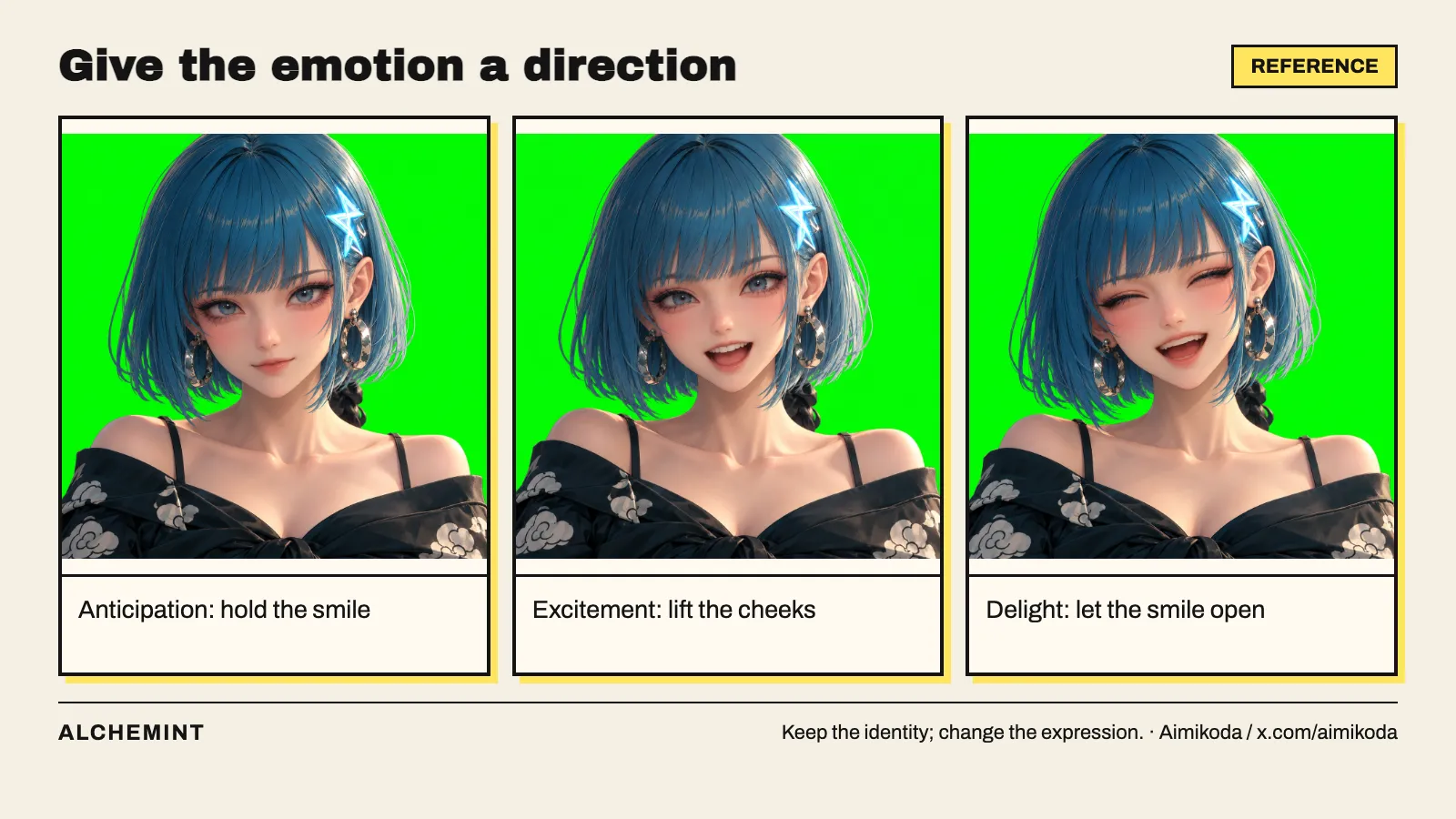
These images were made with GPT image generation. To build a consistent set, provide both the original character sheet and an approved head-and-shoulders portrait. The sheet preserves identity; the portrait keeps framing and rendering consistent. Change the expression while keeping those other choices stable, making the differences easier to compare.
Here is a prompt pattern adapted from that process:
Image 1 defines the character’s identity. Preserve the face shape,
hairstyle, outfit, accessories, and proportions.
Image 2 supplies only the head-and-shoulders framing, lighting,
and rendering style.
Create an expression of anticipation: attentive eyes, softly raised
brows, and a small restrained smile with almost closed lips and no
visible teeth. Let the chin lean slightly forward.
Something enjoyable is about to happen; this is not shock or worry.
Show one person in one image on a clean background, without hands,
props, text, or panels.
If the only difference between three candidates is how far the mouth opens, check the brows, eyes, cheeks, and head position. The emotion name points in a direction; the audience sees how those features change together.
Let the scene determine the intensity
RUK’s startled reaction needs a different degree of exaggeration. Prominent eyes, a dropped jaw, and a strong mouth shape help sell the moment when he wakes up and sees BIWA.
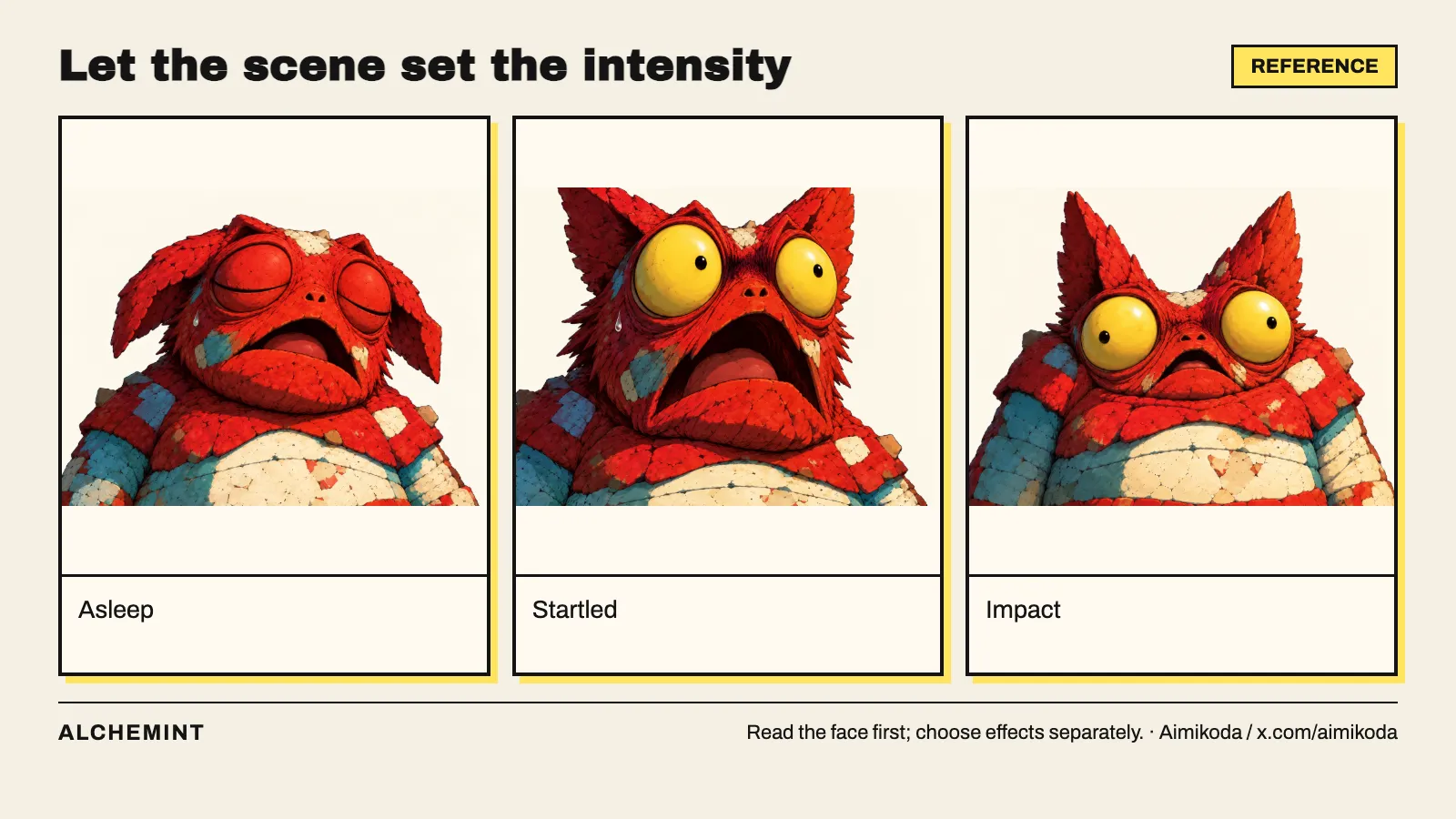
If you only want the video to adopt the startled face, remove comic-style rays outside the character while preserving the character’s own contours and shading. That gives the model a clearer reference and lets you decide separately whether to add graphic effects later.
Ask whether you want the model to learn the expression or the background effect as well. If you only need the face, clean up the background.
A pose reference should show where the force goes
MeiHua’s prone shooting pose needs a different kind of reference: the stock against her right shoulder, her right hand on the grip, and her left hand under the fore-end. These are contacts between the body and a prop. A polished standing character portrait does not explain them.
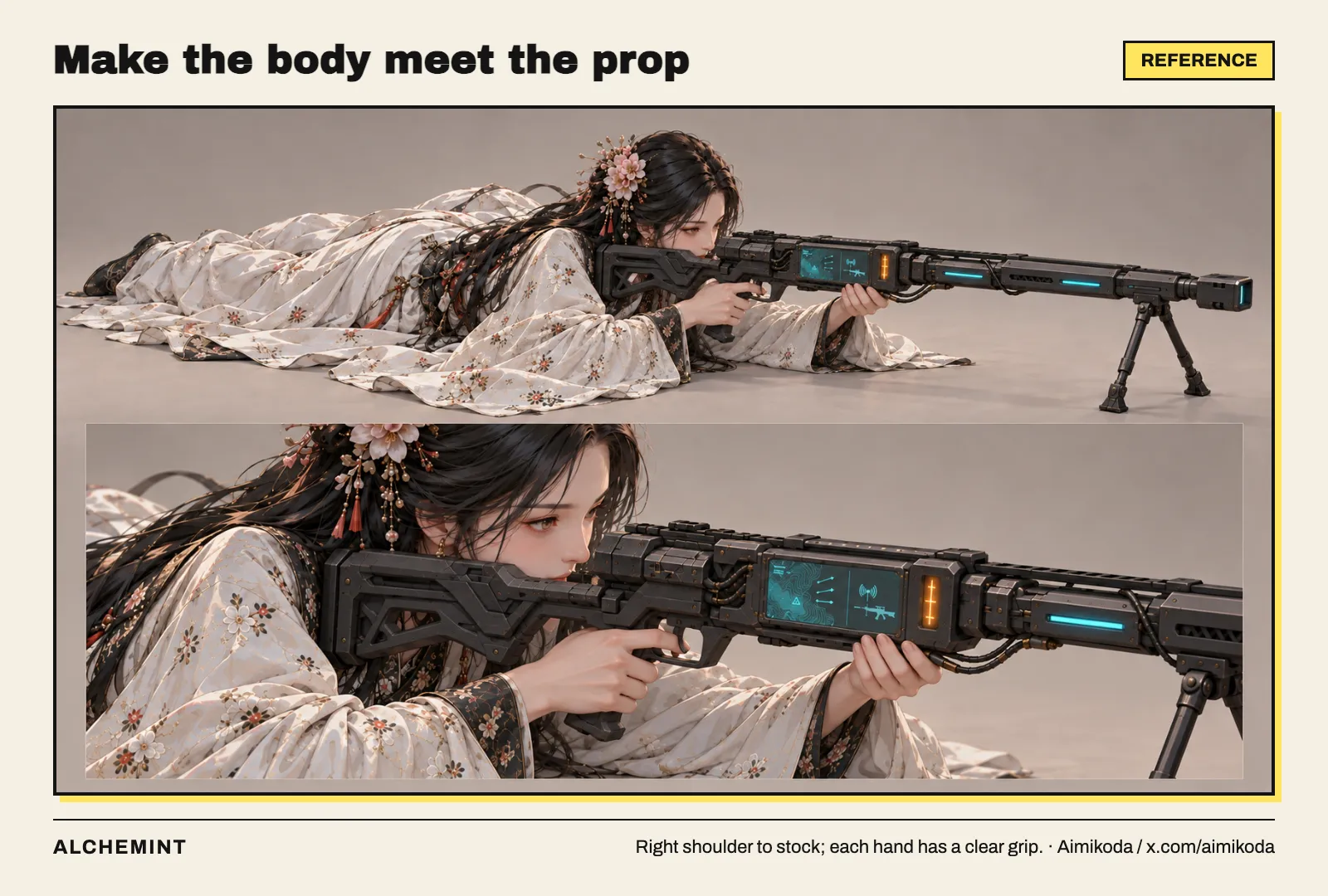
Check the character’s own left and right, the stock-to-shoulder contact, and both hand positions. Do not stop at whether the face matches.
A useful instruction is: “Establish the shoulder and hand contacts first, while preserving the character’s sleeves and proportions.” If the palm floats beside the rifle, the image has not finished its job. Giving that pose to the video model passes the unresolved problem into the next stage.
Say when each expression applies
Connect the images into a performance in the video prompt: “She holds back a smile before the jump, shows her teeth as she approaches the camera, and laughs openly as she passes it.” The design sheet fixes her appearance, the expression images supply targets, and the text establishes their order.
SUSEKA’s generated leap. Watch the smile develop, then inspect body movement and relative positions separately. A useful expression does not mean that every other part of the shot is finished.
An expression reference also needs an endpoint. If WHITE starts with a calm line and then turns red and stamps his feet after being teased, specify that the calm reference applies only to the earlier line. Keeping that instruction active throughout the clip could suppress the later emotional turn.
How much reference work is enough to start generating?
Prepare a consistent character sheet, then add the key expression or pose this shot is missing. If the emotion does not change, you do not need a complete expression set. If a prop is not visible, there is no need to prepare a grip reference for it.
Place the images side by side. When the identity matches, the performance differences are clear, the prop contacts make sense, and the prompt says when each image applies, you can try generating the video. If you still cannot distinguish anticipation from shock, fix the expression image first. If the real uncertainty is where the camera should be, move to previz; more face references will not answer that question.